
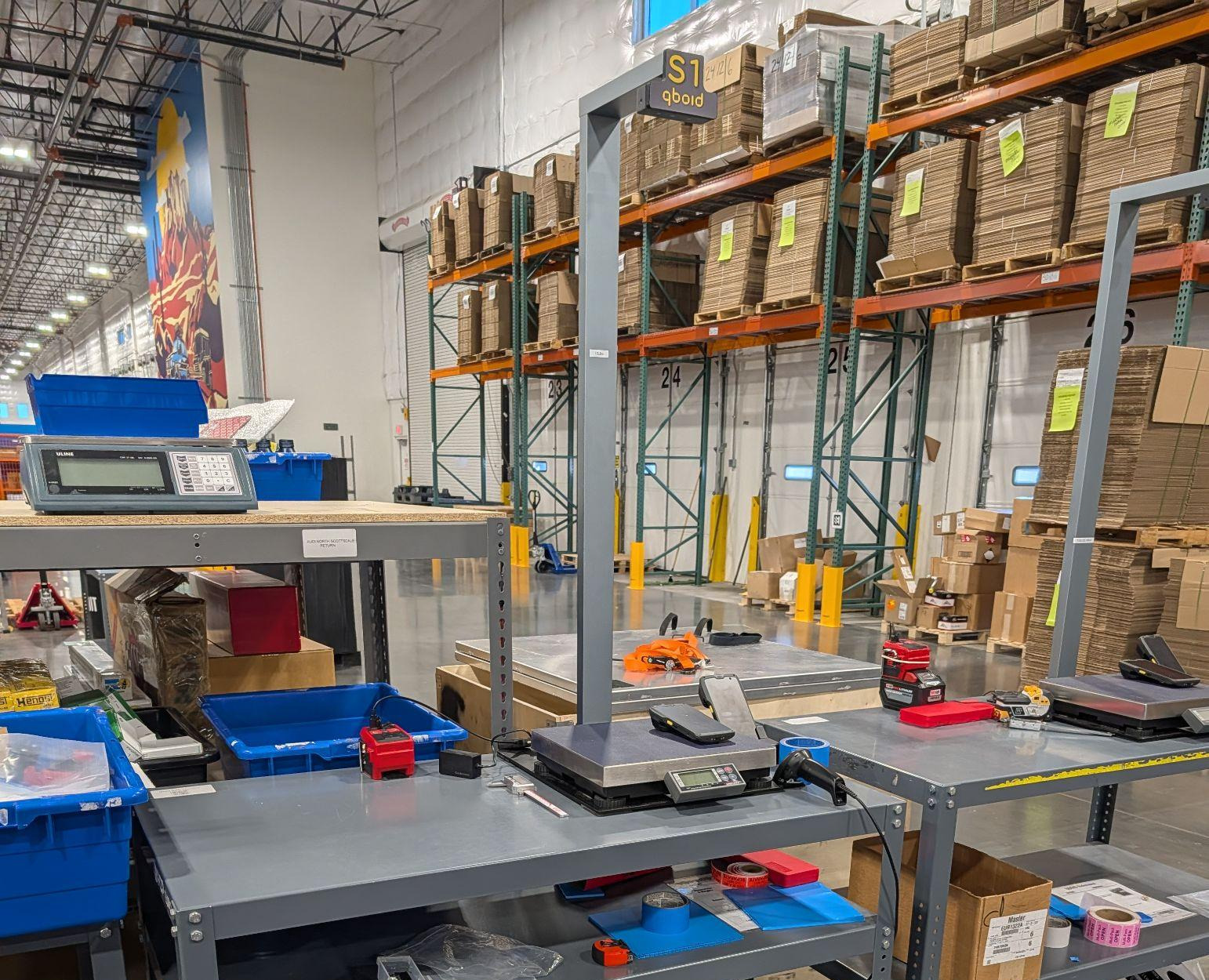
Device · accessory for the M2
S1 Benchtop Accessory for the M2
Put the item on the scale, scan the barcode. Hands-free dimensions, weight and photos.
The QBOID S1 Accessory, model name Perceptor S1, is a benchtop station that holds the M2 over a scale, with an overhead 3D colour sensor and a wireless barcode scanner. The M2 does the processing and sends each record to your WMS, ERP or TMS; lift it out any time to measure on the floor.
- Item size
- 32 × 24 insmallest side 0.5 in
- Max weight
- 70 lbbuilt-in scale
- Accuracy
- ±0.25 in±0.5 in irregular
- Assembly
- < 15 minno tools
How it works
No touchscreen. One scan per item.
The barcode scan starts the capture, so the operator's hands stay on the items. Docked in the S1, the M2 runs the scale, the overhead sensor and the light ring.
- 01
Place and scan
Put the item on the scale and scan its barcode with the wireless scanner.
- 02
Captured in one step
The overhead sensor and the docked M2 record dimensions, shape and a photo; the scale adds the weight.
- 03
Sent, next item
The record goes to QBOID Cloud or your WMS, ERP or TMS. Lift the item off and scan the next one.
How to use your S1
Setup, docking the M2, hands-free capture with the barcode scanner, and undocking for handheld work. Filmed with the current S1.
Set up in under fifteen minutes.
The S1 ships in parcel-size boxes and goes together without tools. Dock the M2 and it switches to S1 mode on its own.
- No screen taps: the barcode scan triggers dimensions, weight and a photo at once
- The M2 keeps its screen, so the operator can check each record
- Lift the M2 out to measure items too big for the scale, then dock it again
S1 mode is included in the Item & Parcel app licence. The M2 is sold separately.
Works with
Already integrated the M2? The S1 works with it.
The S1 sends the same record as the handheld M2, through the M2's API. Existing integrations work unchanged, without development.
M2 Mobile Dimensioner
The S1 is an accessory for the M2, which is sold separately. Any M2 docks in any S1.
The M2Item & Parcel app
S1 mode is included in the app licence. The M2 switches modes when you dock or undock it.
Parcel dimensioningYour WMS, ERP or TMS
Same record, same endpoint. An existing M2 integration receives S1 scans with no new work.
IntegrationsQBOID Cloud
Review and export every scan. QBOID Cloud Basic is included with any app licence.
QBOID CloudSpecifications
The S1, part by part
Point at a number to find the part. All S1 facts are in the table below; the M2 that docks in it has its own spec table.
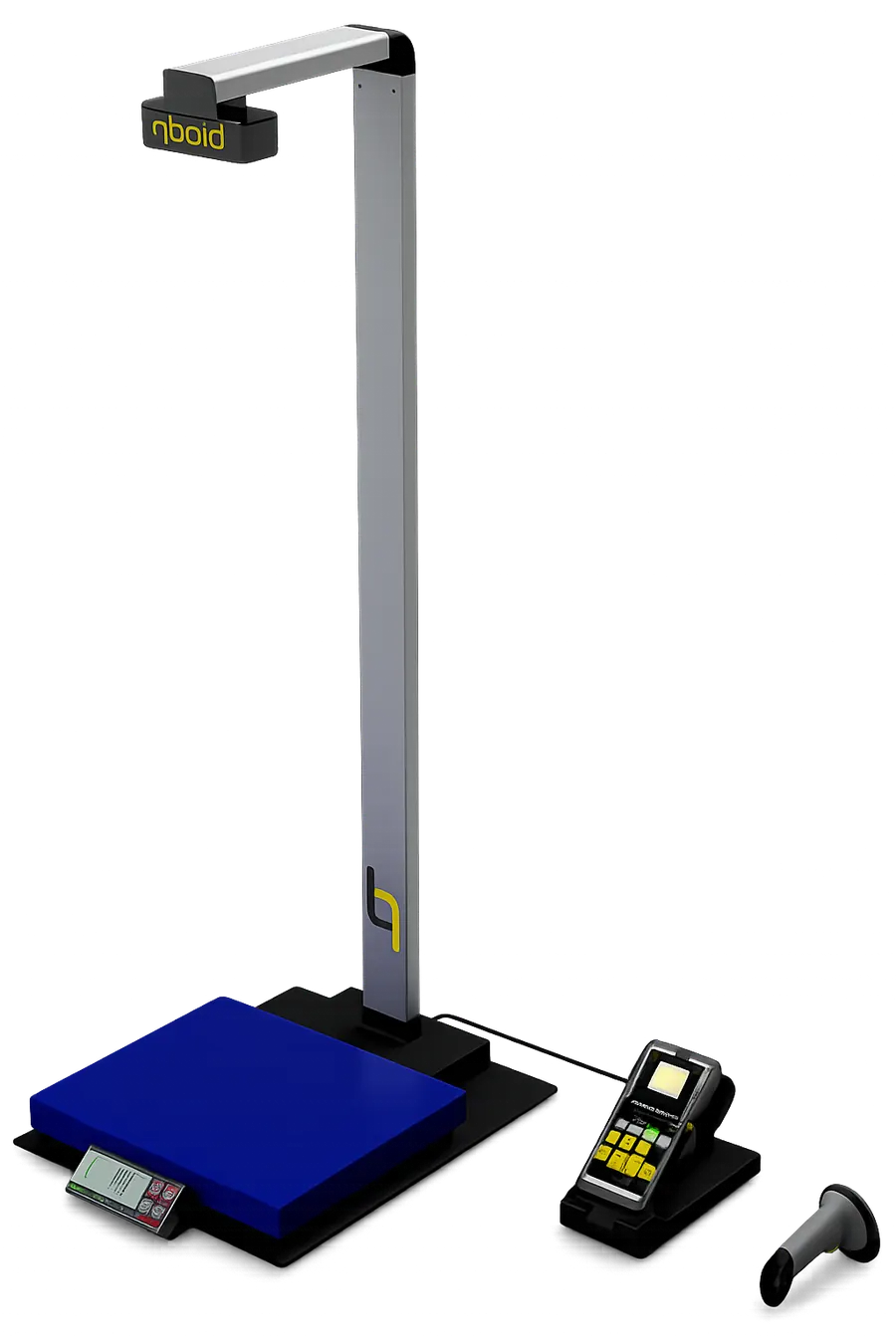
- 1Overhead 3D colour sensorWith an LED light ring, looking straight down at the scale
- 2MastAssembles in under 15 minutes, without tools; ships in parcel-size boxes
- 3Built-in scaleItems up to 70 lb and 32 × 24 in
- 4M2 cradleThe docked M2 runs the S1. Lift it out to measure items too big for the scale
- 5Wireless barcode scanner1D and 2D; scanning the barcode triggers the capture, with no screen taps
| Item size | Length < 32 in, width < 24 in; smallest side > 0.5 inMaximum height depends on length and width; the M2 preview shows whether an item fits |
|---|---|
| Accuracy, cuboid items | ±0.25 inPlace the item in the middle of the scale |
| Accuracy, irregular items | ±0.5 inRecorded as the bounding box |
| Maximum item weight | 70 lbBuilt-in scale |
| Captured per scan | Dimensions, weight, barcode, photo, shapeTriggered by the barcode scan, no screen taps |
| Barcode scanner | Wireless 1D and 2D scanner, included |
| Sensors | Overhead 3D colour sensor with LED light ringThe docked M2 runs the S1 and processes each scan |
| Controller | QBOID M2 (sold separately)Hardware facts in the M2 spec table |
| Software | S1 mode, included in the Item & Parcel app licence |
| Seconds per item | To be publishedTested figure to come. Ask for a timed demo on your items |
| Materials it can't measure | Highly transparent or shiny items |
| System weight | About 30 lbWithout a power bank |
| Power | USB-C, 5 V / 3 A; under 15 WWall adapter included, or a phone power bank on a cart |
| Operating temperature | 5–35 °C (41–95 °F) |
| Assembly | Less than fifteen minutes, without toolsShips in parcel-size boxes |
Ways to use it
Bench, cart, or in your hand.
On a bench, on a cart, or with the M2 undocked. Customer-site photos: site approval pending
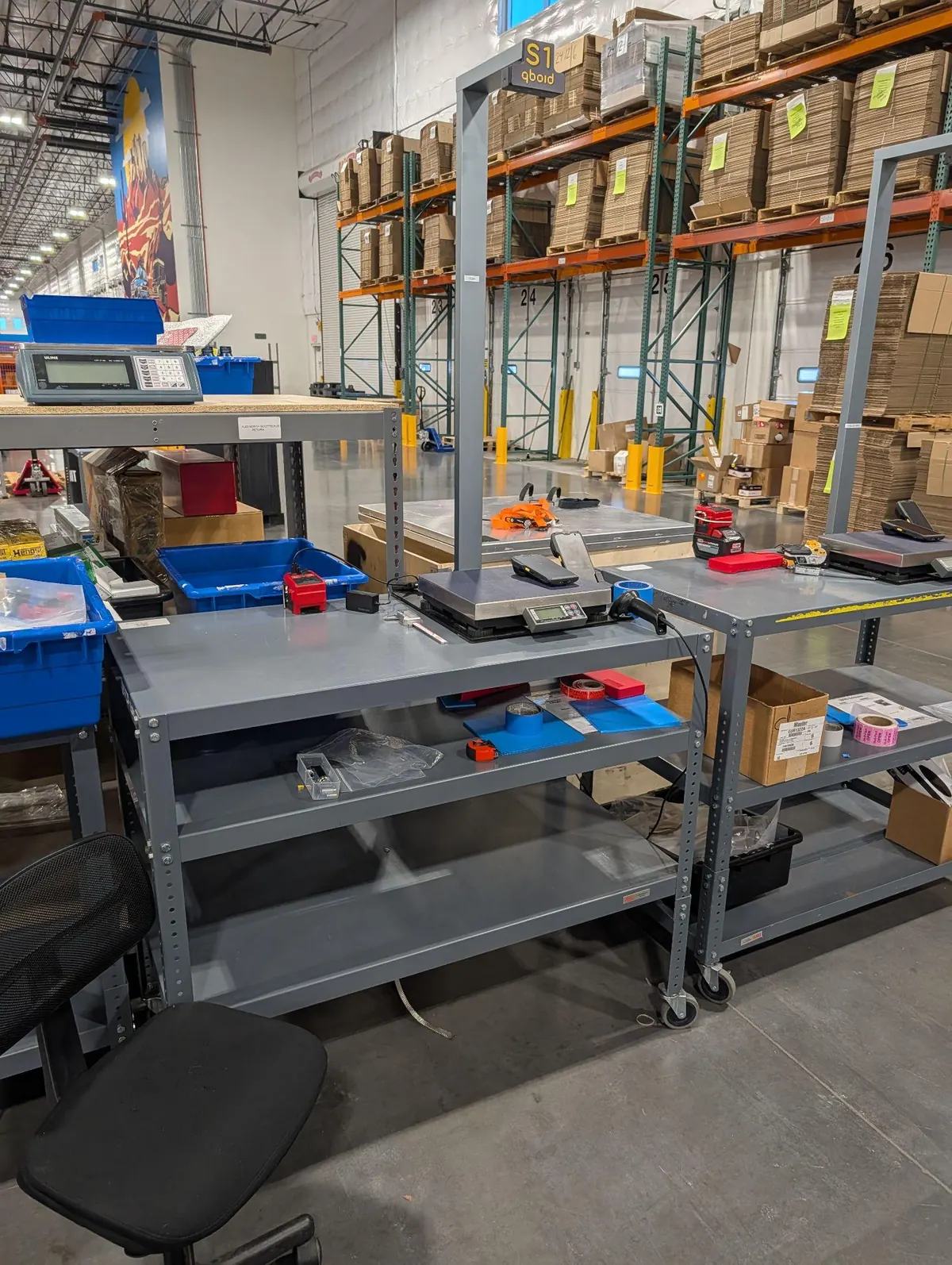
Benchtop
At a receiving or packing bench, next to the work. Every item gets weight, dimensions and a photo in one scan.
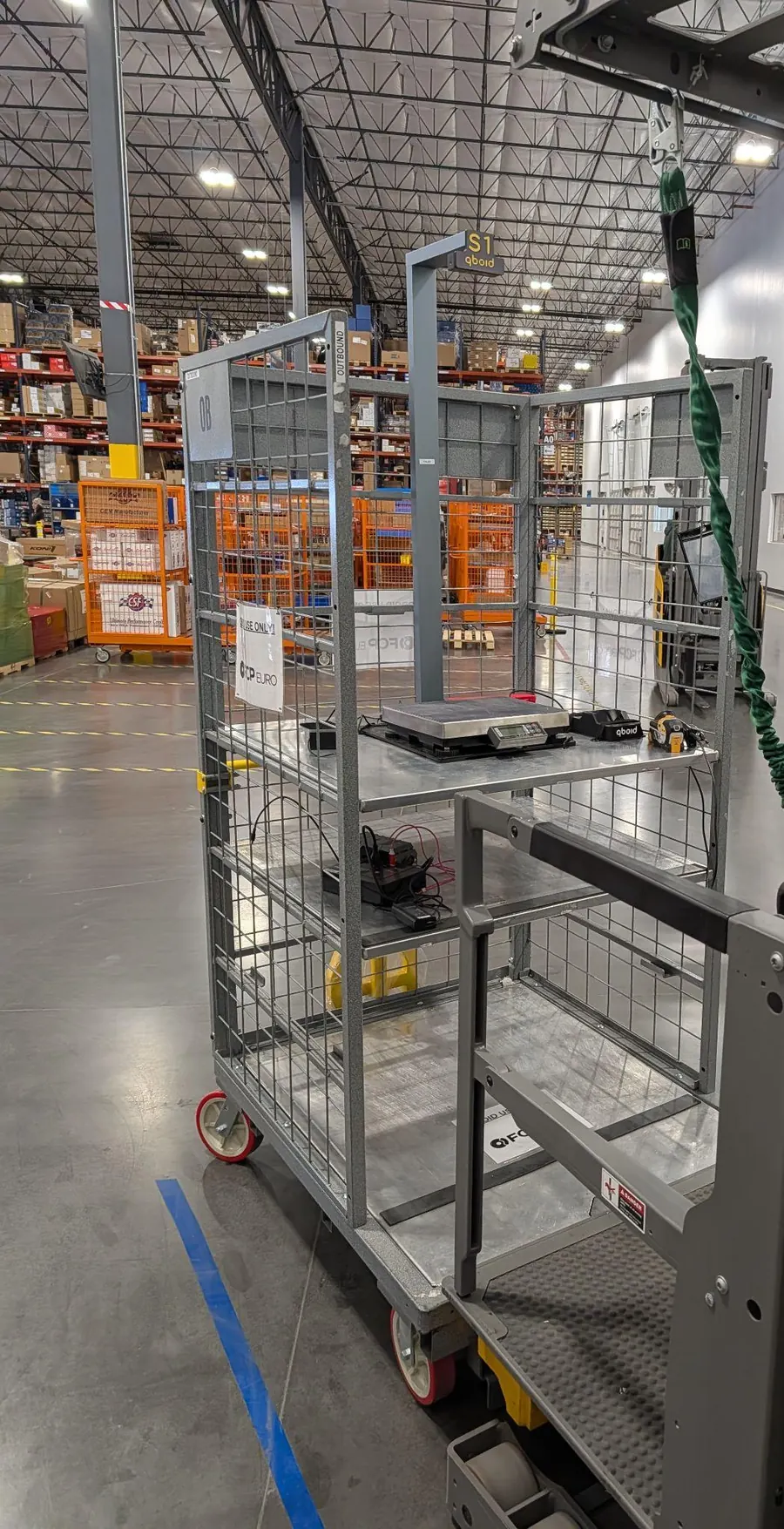
On a cart
Move the station to receiving, returns or a project area. A phone power bank keeps it running away from a wall socket.
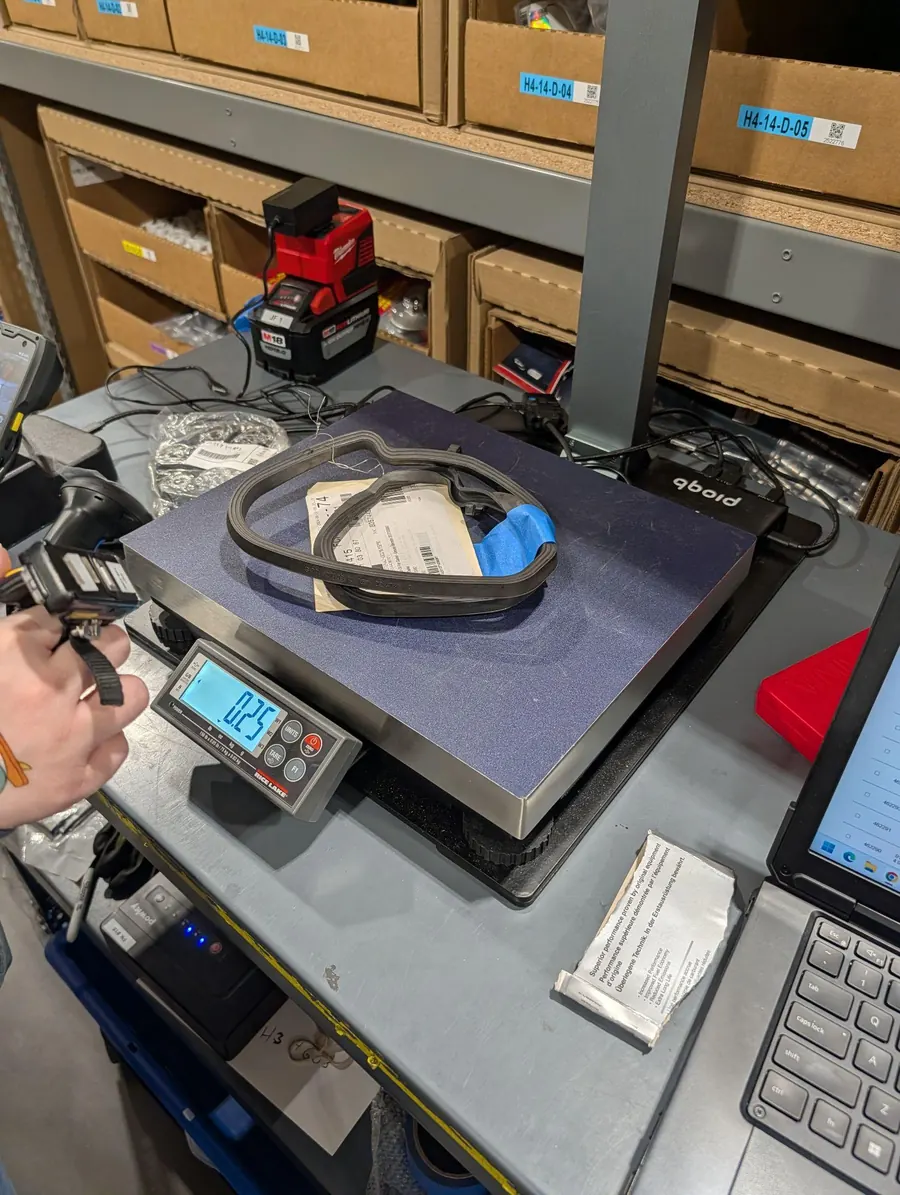
Deformable items
Bags and soft goods measured as they sit on the scale.
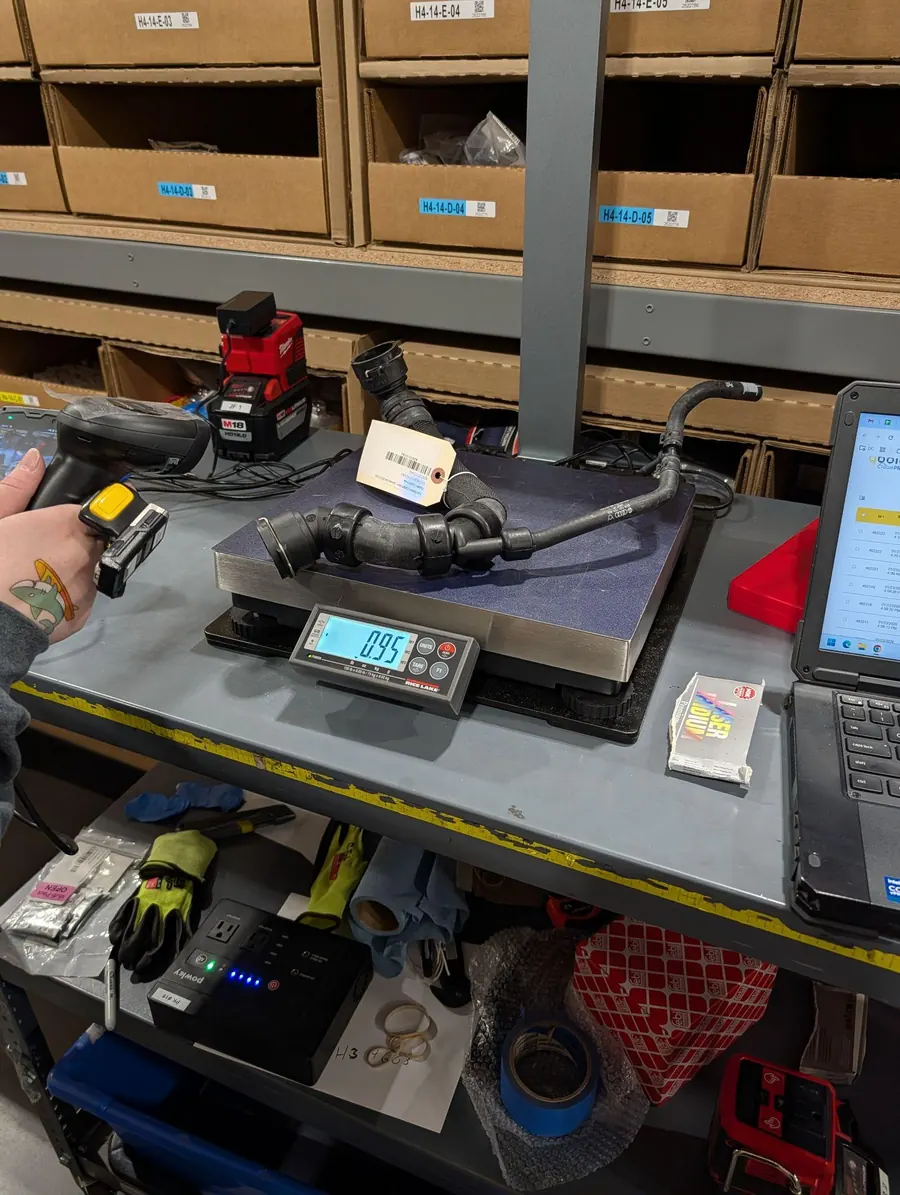
Irregular parts
Odd shapes recorded as their bounding box, with a photo.
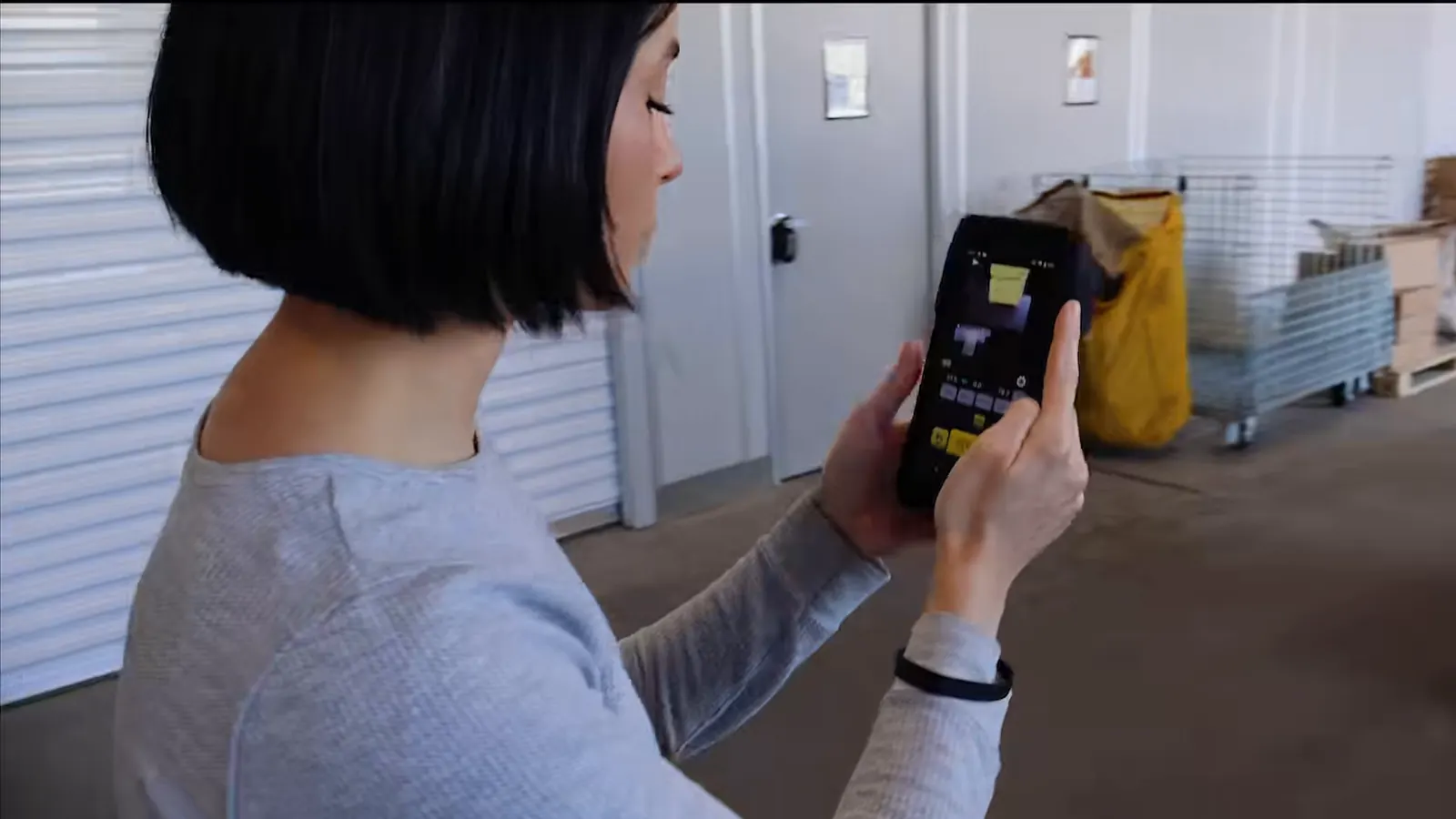
Undocked
Lift the M2 out for items too large or heavy for the scale, then dock it again.
Not sure your items fit?
Book a demo with a few typical items. We'll measure them on the S1 with you, remotely, and time each scan.
Book a demoCustomer story
Weby Corp: receiving with the S1.
Weby Corp, an omni-channel seller, uses the S1 at receiving to build item master data for packing and robotics.
“Time improvements are tremendous, from minutes to actually 2 or 3 seconds per product.”
“Our receiving team used to have up to 15 users, now we have about three or four users with QBOID.”
Weby Corp case study Pending approval
A two-minute video from Weby's warehouse: receiving with the S1, item master data and robotics.
FAQ
S1 questions
Is the M2 included?
No. The S1 is an accessory for the M2, which is sold separately. Any M2 can be docked in any S1. The S1 mode licence is included in the Item & Parcel app licence.
Can I still use the M2 as a handheld?
Yes. Lift the M2 out of the dock to measure items that are too large or awkward for the scale, then dock it again. The M2 switches modes automatically.
Does it work with our existing M2 integration?
Yes. The S1 sends the same record as the handheld M2, so existing WMS, ERP or TMS integrations work without development.
How long does assembly take?
Less than fifteen minutes, without tools.
How is it powered?
From USB-C at 5 V / 3 A, drawing under 15 W: the wall adapter that comes with it, or a phone power bank when the S1 is on a cart.
Which barcodes does it read?
1D and 2D barcodes, with the wireless barcode scanner that comes with the S1.
How many items per hour can it measure?
We will publish a tested seconds-per-item figure soon. In a demo we can time the S1 on items you choose.
Can it be moved around the warehouse?
Yes. The S1 weighs about 30 lb and runs on a cart with a power bank, so it can follow the work.
Is the scale calibrated?
It's factory calibrated. Routine calibration checks are done by the customer.
Book a demo · Get in touch
See the S1 on your receiving bench.
Tell us what comes across your receiving or packing bench. Book a 20-minute remote demo on items like yours, or leave your details and sales will follow up.
- Demo: about 20 minutes, remote, on items you choose
- Or leave your details: sales replies within one business day
- Ships to all US states; resellers in North and South America, EMEA and APAC
Or write to sales@qboid.ai, or call +1 (408) 419-1449.