
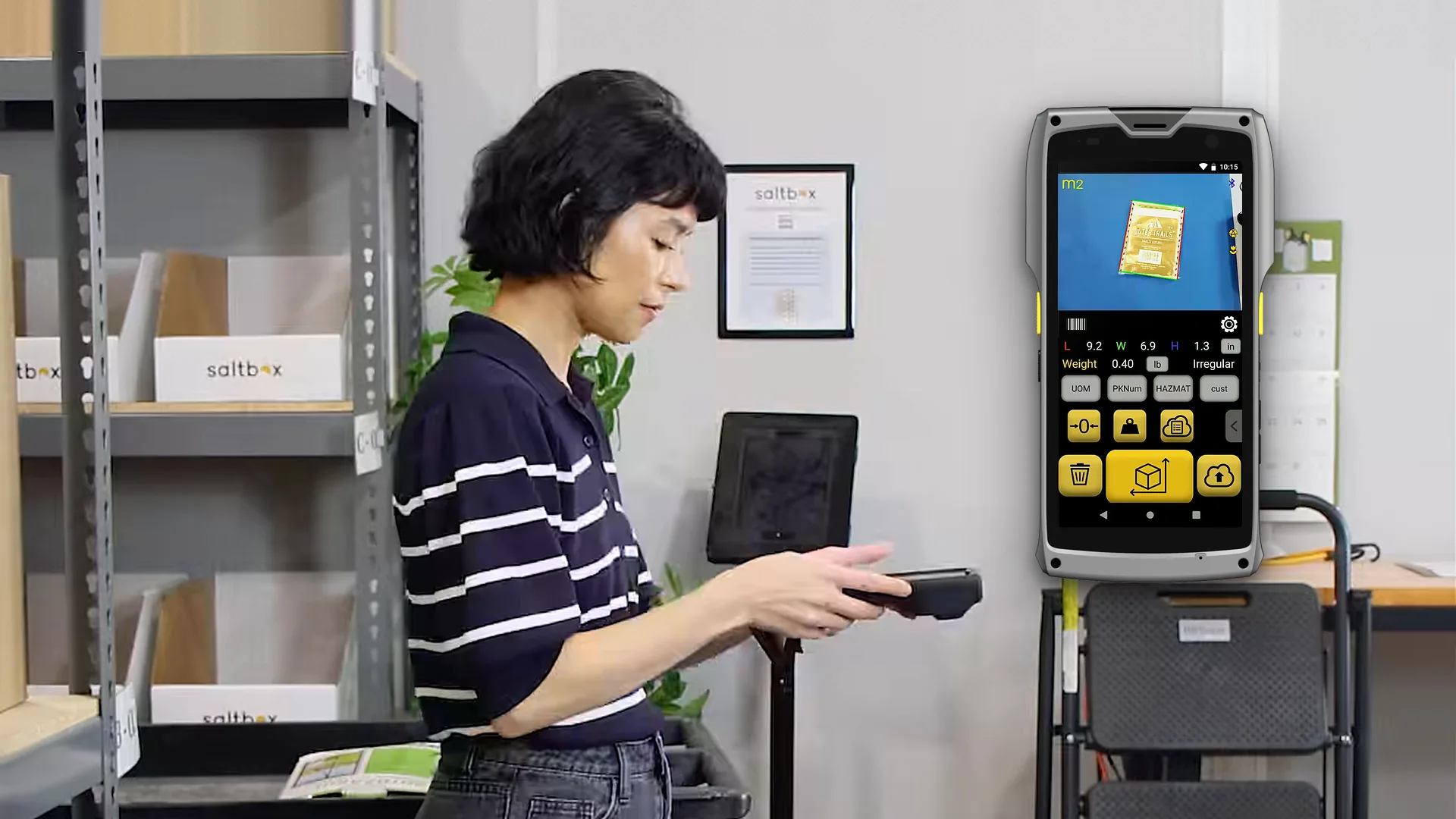
App · Item & Parcel app on the M2
Parcel Dimensioning with the M2
Measure boxes, parcels and irregular items without a fixed station.
The Item & Parcel app runs on the M2 handheld. Point it at a box, a polybag or an odd-shaped part and it records dimensions, scale weight, barcode and photos, wherever the item is.
- Cuboid items
- ±0.25 inscanned top-down
- Irregular items
- ±0.5 inas a bounding box
- Item size
- 0.5–40 inbottle cap to large cooler
- Runs on
- M2 and S1S1 mode included
How it works
Three presses per parcel.
Like taking a picture. The real-time assistant shows whether the item is in range before you measure.
- 01
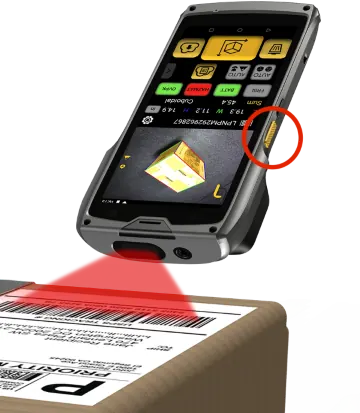
Scan the barcode
Scan the item or parcel label, or type an order, SKU or tracking number.
- 02
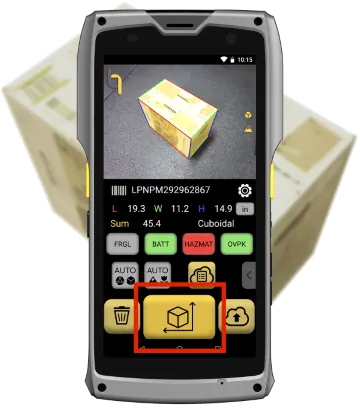
Take a picture, get dimensions
Point the M2 at the item from above and press the measure key. Weight comes from the paired scale.
- 03
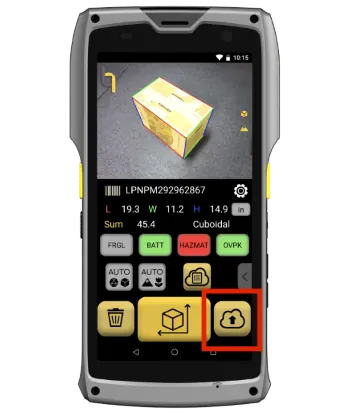
Save or upload
Save on the device or send the record and photos to QBOID Cloud or your systems.
One parcel, start to finish
A full scan with the Item & Parcel app and a Bluetooth scale: barcode, dimensions, weight, saving, and the record in QBOID Cloud.
The video says to hold the M2 at least 15 in above the item. Current guidance is more than 18 in from all surfaces; see the M2 spec table.
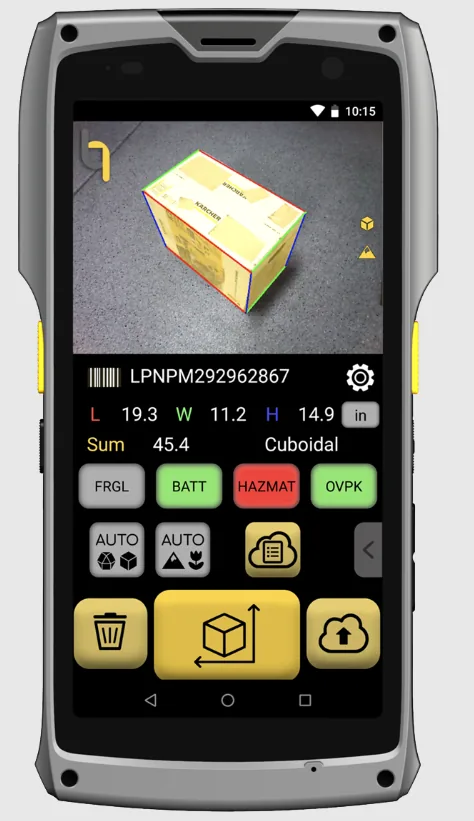
What's captured
Everything about the item, in one record.
One record per item, saved on the device and sent when connected.
Dimensions and shape
Length, width and height, tagged Cuboidal or Irregular.
Weight
From a paired Bluetooth scale, or typed.
Barcode
1D and 2D, from the built-in scanner: a UPC, a tracking number or your own label. Or type it.
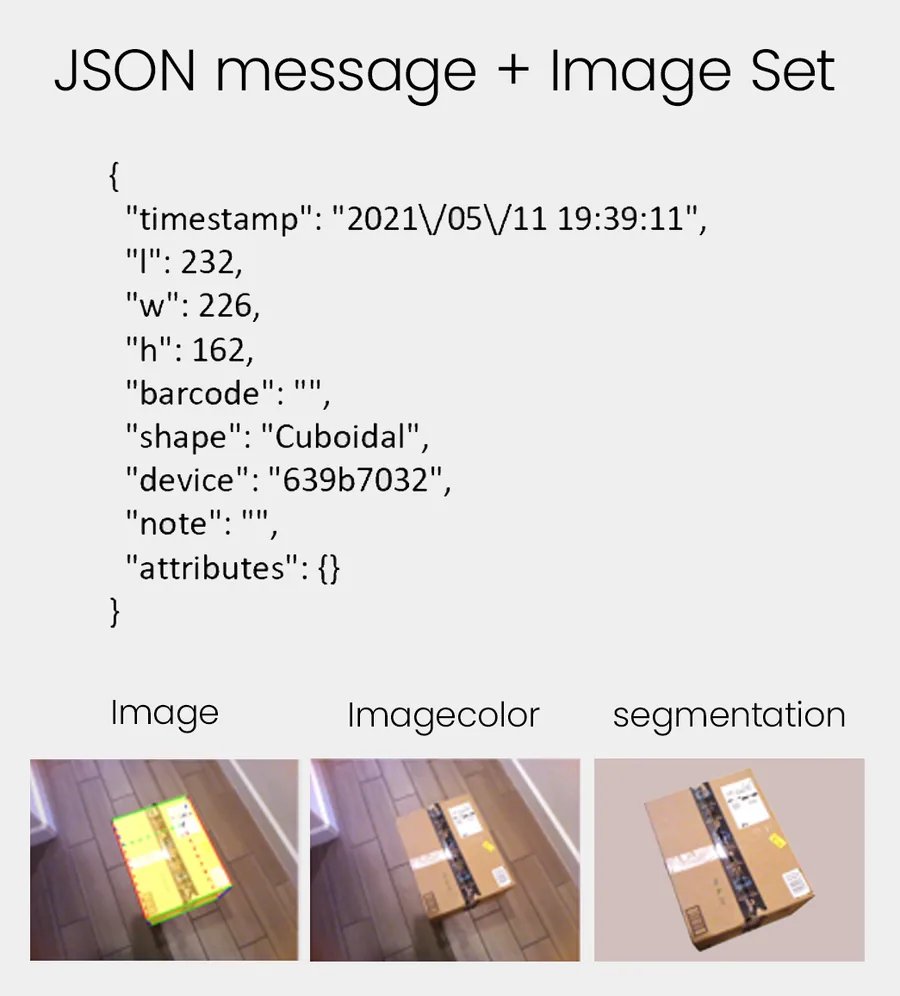
Three photos
Annotated with the measured box, plain, and background removed.
Four custom keys
Your own attributes, such as Damaged, Hazmat or Oversize, one tap each.
Note, time and device
Free-text note, timestamp and the M2 serial number.
Measuring range
Polybags, cylinders and bundles are measured as their bounding box and tagged Irregular. Smaller parts: Bluetooth calipers in a WorkFlows app. Larger than 40 in? Pallets, crates and long boxes up to 7 ft go through the Pallets app.
Best practices
Get an accurate scan, every time.
A two-minute animation with no voice: where to place the item, which materials to avoid, how to hold the M2, and how an irregular item becomes its bounding box.
Where the data goes
Into the systems that need it.
Each record is posted over HTTPS as it happens, as JSON with its three photos.
| HTTPS push | The M2 posts each record to your endpoint as it happens. |
|---|---|
| Android Intent API | Your own Android app on the M2 calls the dimensioning function and gets the result back. |
| QBOID Cloud | Review and export XLS or ZIP files in the browser. Basic is included with the app licence; Pro adds the API, auto refresh and data edits. |
Integration partners already connect the M2 to platforms such as NetSuite and SAP.
Works with
Handheld or on the bench.
Hardware facts live on the device pages.
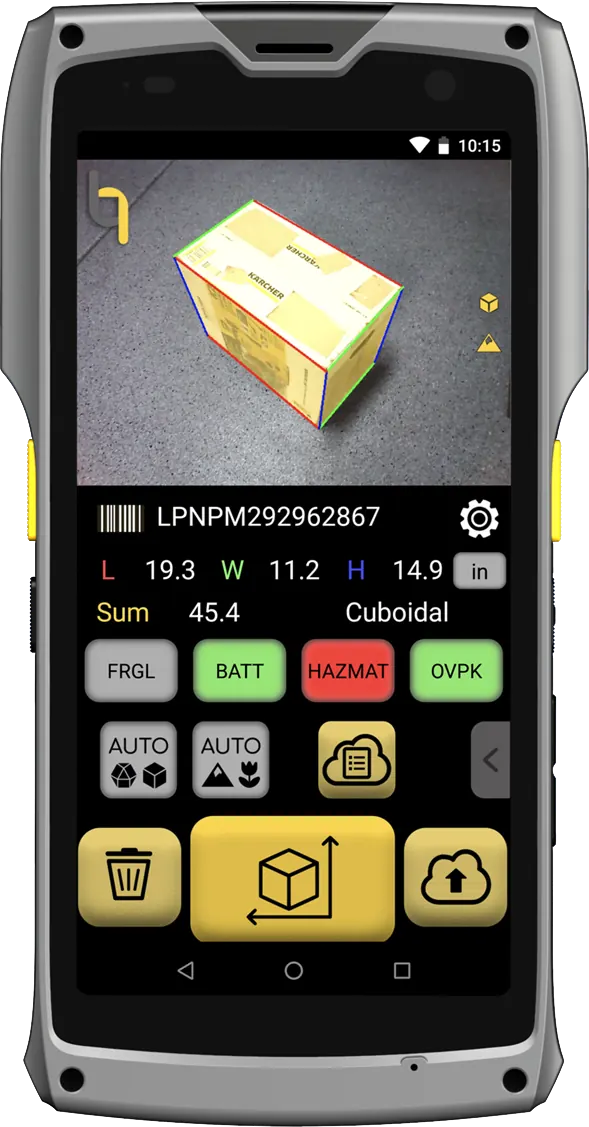
Handheld
M2 Mobile Dimensioner
Measure items where they sit: shelves, carts, the packing bench or the dock.
M2 specs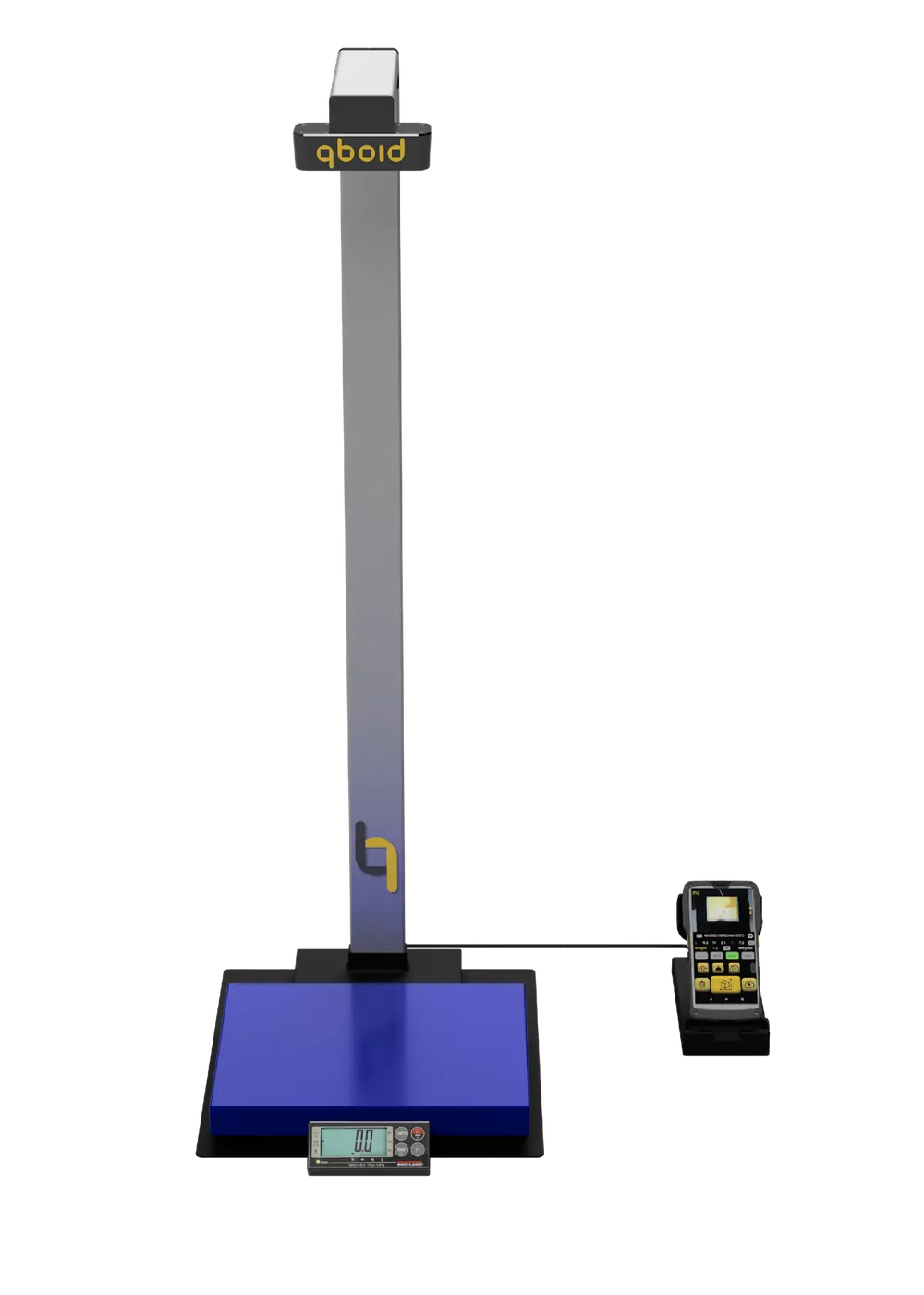
Benchtop station
S1 Accessory
Dock the M2 for hands-free capture at volume: a barcode scan triggers dimensions, weight and photos. S1 mode is included in the Item & Parcel app licence.
S1 AccessoryWeight: Bluetooth scales such as the Mettler Toledo BC-60 and Rice Lake BenchPro BP-1214 pair through the QBOID Bluetooth kit. See accessories.
Shipping
DIM weight from real dimensions.
Carriers bill parcels by the larger of actual and dimensional weight, and adjust invoices when declared dimensions are wrong. Measuring each outbound parcel, and keeping its photo, means you declare the right size and can show it when an adjustment arrives.
For the best results: scan from the top down, on a matte surface, more than 18 in from the item. Transparent and shiny items can't be measured.
Watch the best-practices video (1:51).
FAQ
Parcel dimensioning questions
What is the Item & Parcel app?
The app on the M2 Mobile Dimensioner for boxes, parcels and irregular items. It records dimensions, weight from a paired scale, barcode, shape and three photos for each item, and sends the record to your systems.
What sizes can it measure?
From about a bottle cap to a large cooler: smallest side more than 0.5 in, longest side less than 40 in. For pallets and larger freight, use the Pallets app.
How accurate is it?
Within ±0.25 in for cuboid items and ±0.5 in for irregular items, scanning top-down. Full device facts are in the M2 spec table.
How are irregular items measured?
As the smallest box that contains them, so the result works for carton selection and DIM weight. The record is tagged Irregular, and the annotated photo shows the box that was measured.
Do we need a scale?
Only if you want weight. The M2 pairs with Bluetooth scales through the QBOID Bluetooth kit; weight can also be typed. See accessories.
What are the custom keys for?
Four on-screen keys you define, such as Damaged, Hazmat or Oversize. Each tap adds an attribute to the record, so operators classify items without typing. For full custom steps, build a WorkFlows app that launches the Item & Parcel app.
Can we use it on a benchtop?
Yes. Dock the M2 in the S1 Accessory: a barcode scan triggers the capture. S1 mode is included in the Item & Parcel app licence.
How is it licensed?
An annual licence per M2, on the QBOID store ↗. QBOID Cloud Basic is included. For several devices, ask sales for a quote.
Book a demo · Get in touch
See it measure your parcels.
Tell us what you ship or receive. Book a 20-minute remote demo with a few of your items, or leave your details and sales will follow up.
- Demo: about 20 minutes, remote, on items you choose
- Or leave your details: sales replies within one business day
- Ships to all US states; resellers in North and South America, EMEA and APAC
Or write to sales@qboid.ai, or call +1 (408) 419-1449.