
App · Pallets app on the M2
Pallet Dimensioning with the M2
Measure pallets at the dock, without a fixed station.
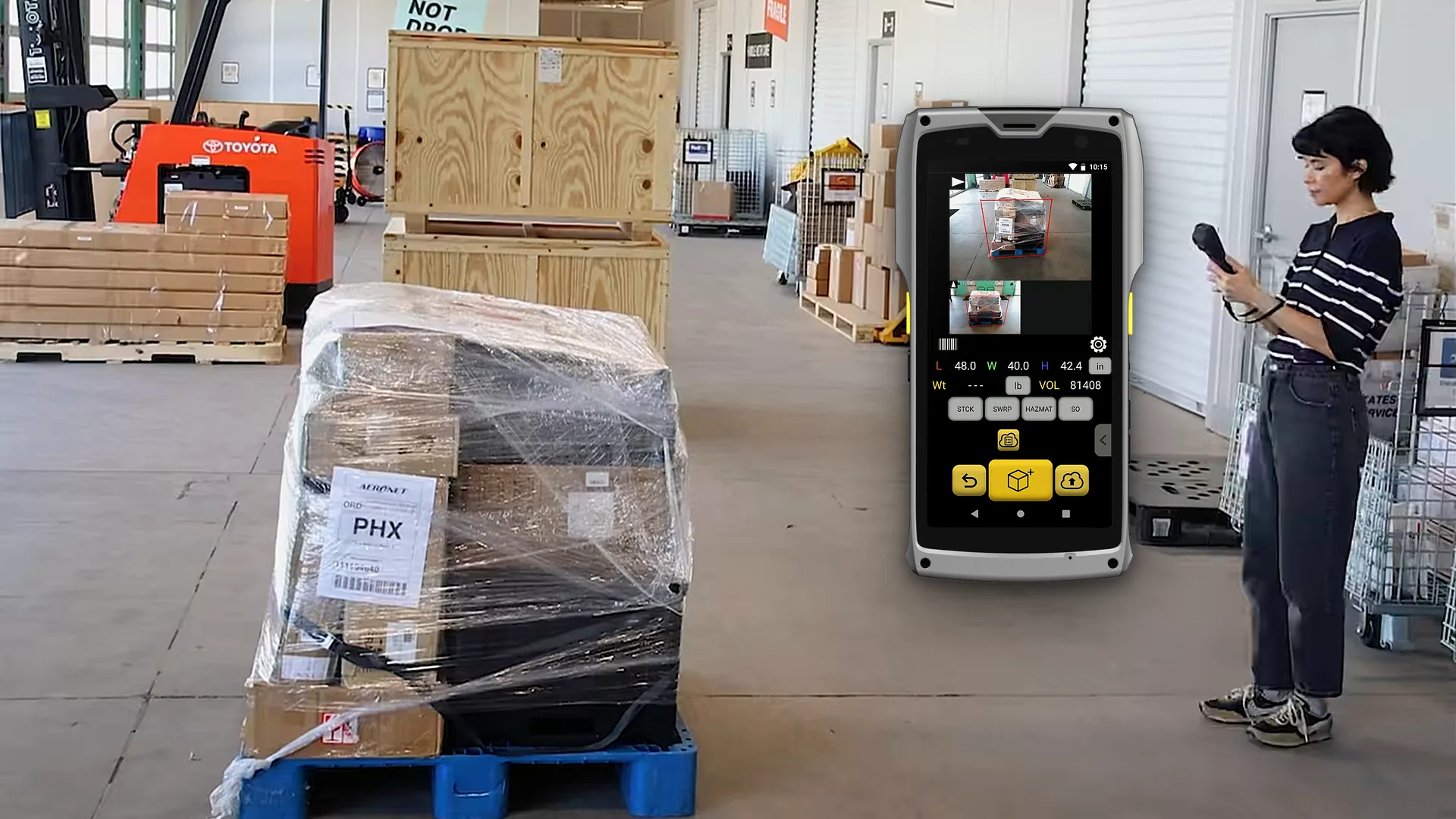
The Pallets app runs on the M2 handheld. Scan the BOL or PRO number, photograph two to four sides, and the app records dimensions, weight and a marked-up photo of every face.
- Range
- 3–7 ftwide or tall
- Accuracy
- 1 inon pallets and large items
- Photos
- 2–4 sideseach face, with and without markup
- Runs on
- M2handheld, no fixed station
How it works
Scan. Walk around. Upload.
Three steps at the dock, in about the time it takes to walk around the pallet.
- 01
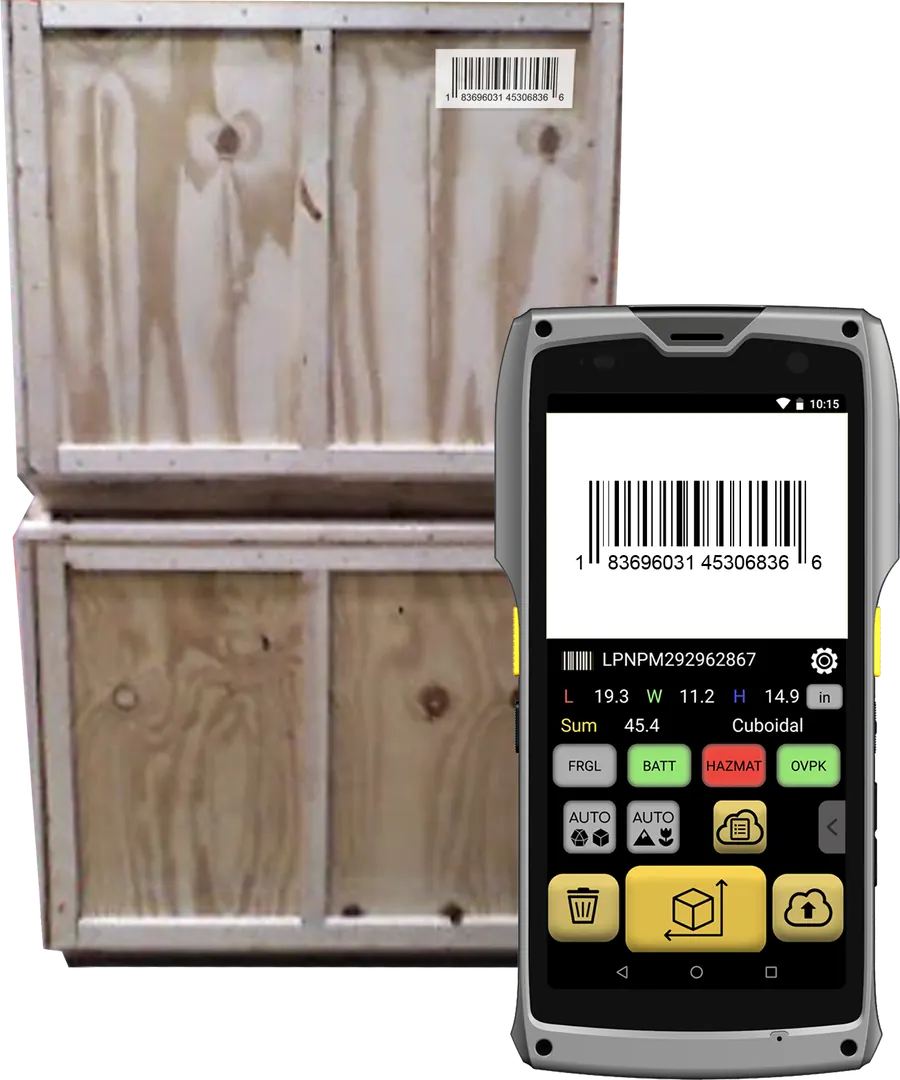
Scan the ID
Scan or type a BOL number, PRO number, sales order or any other ID.
- 02
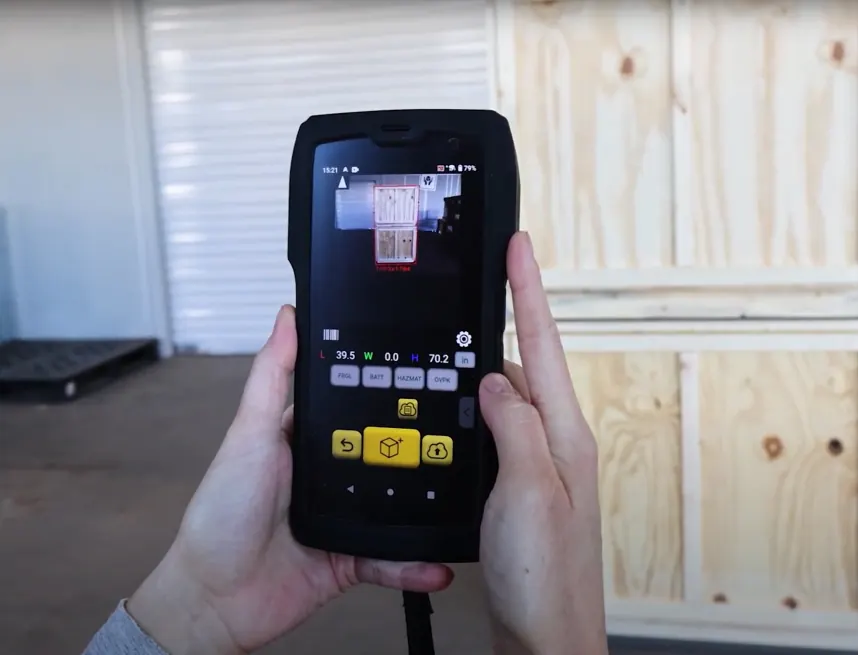
Photograph 2 to 4 sides
Each photo adds a face. The app outlines the pallet and computes length, width and height.
- 03
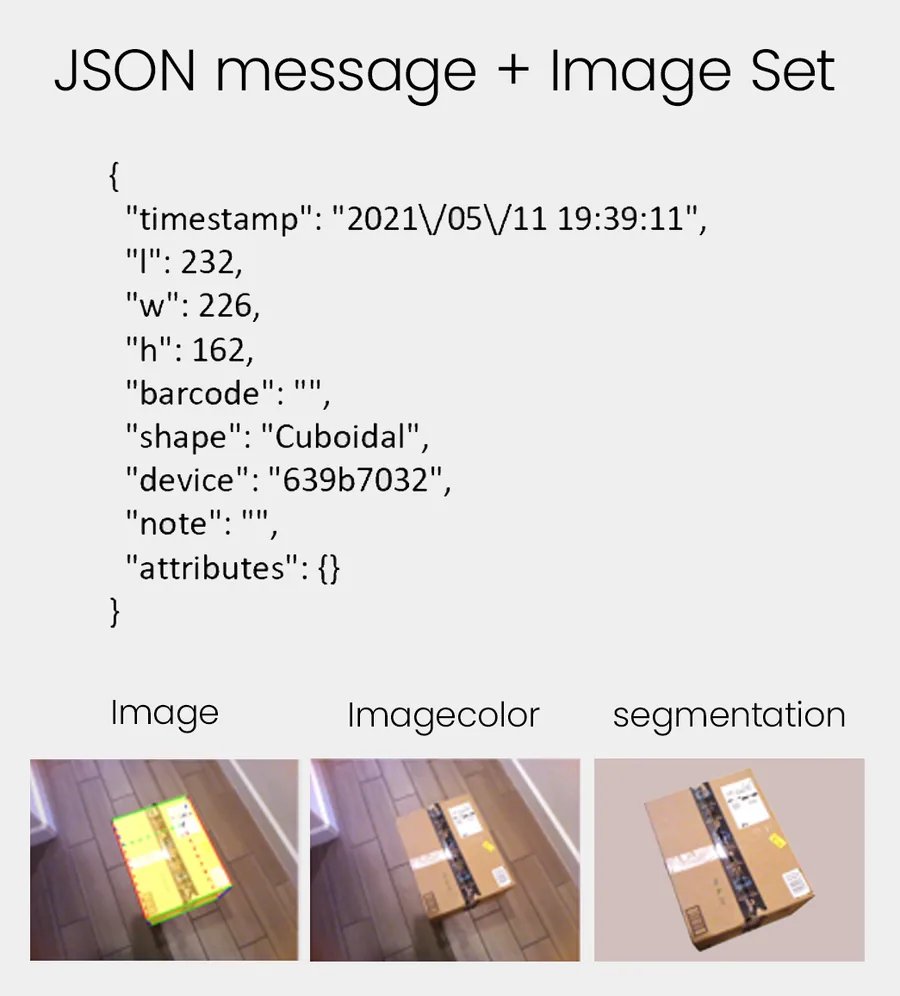
Save or upload
Dimensions, ID, weight, freight keys and photos go to QBOID Cloud or your TMS, WMS or ERP.
The Pallets app in about a minute
Scan the ID, photograph the sides, get dimensions and BOL images.
For a good measurement
- Photograph at least two sides; four sides document the whole pallet for the carrier and your customer.
- Weight comes from a Bluetooth scale paired with the M2, on the same record.
- Mirror-like finishes and some security shrink wrap can't be measured.
- Like the M2 in general, it doesn't measure in direct sunlight. At the dock door or under a canopy it works normally.
Evaluating in detail? The full Pallets app how-to walks through every screen.
At a glance
Pallets app facts
Everything the app measures and records, in one table. Hardware facts are on the M2 spec table.
| What it measures | Pallets, crates, furniture, drums, coils, long boxes and rolls |
|---|---|
| Range | From about 3 ft up to 7 ft wide or tallLonger freight: add a Bluetooth tape measure with WorkFlows |
| Accuracy | 1 in |
| How | Photos of 2 to 4 sides; the app computes L × W × HTwo sides give the cube; four document the whole pallet |
| Captured | Dimensions, photos of each face with and without dimension markup, ID (BOL, PRO or order number), weight from a scale, timestamp |
| Freight keys | Customizable keys for freight classification, such as NSP and accessorials |
| Output | JSON over HTTPS to your WMS, TMS or ERP; QBOID Cloud; XLS or ZIP exportSame API as the Item & Parcel app |
| Not suitable for | Mirror-like finishes, some security shrink wrap, direct sunlight |
| Device | M2 Mobile Dimensioner |
Measuring range
Smaller than a pallet? Boxes and parcels from 0.5 in to 40 in go through the Item & Parcel app on the same M2.
Licence: the Pallets app is an annual licence per M2. QBOID Cloud Basic is included. Prices are on the store ↗.
Real Pallets app output
What the app saves for each pallet.
For every pallet the app keeps a photo of each face, with and without the dimension markup. Attach them to the BOL, or pull them up when a carrier reclasses or reweighs a shipment.
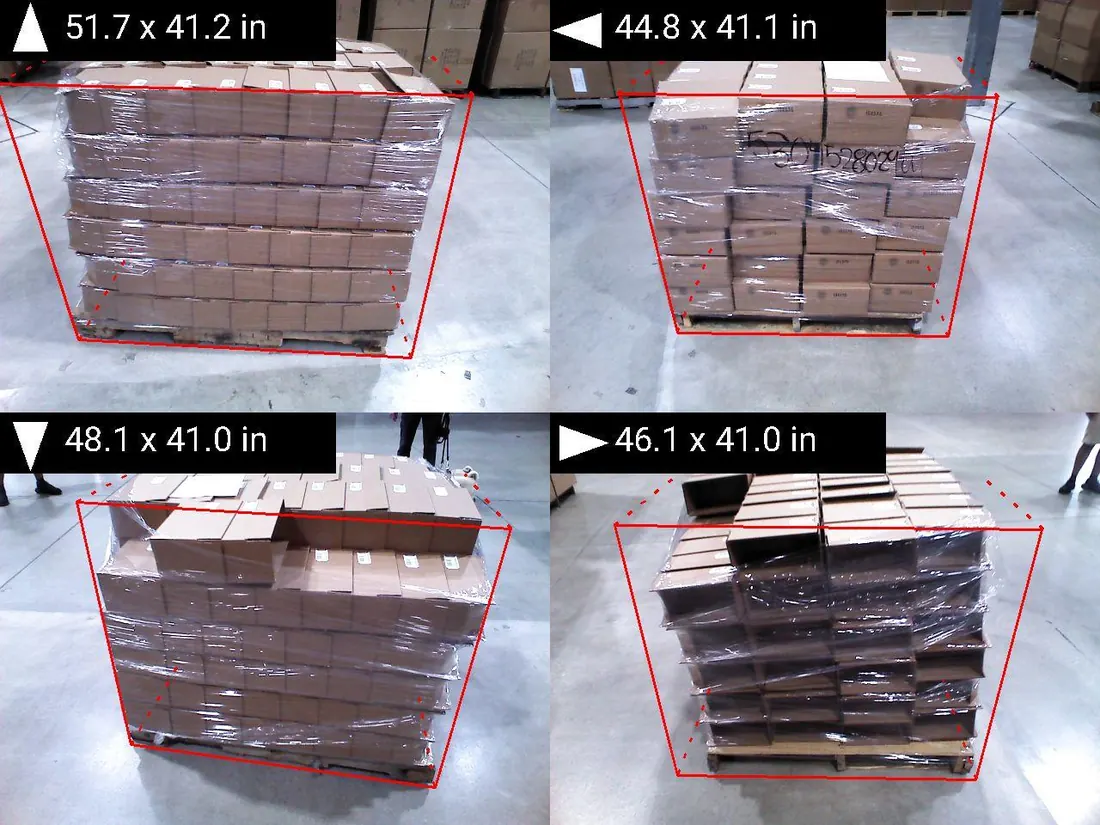
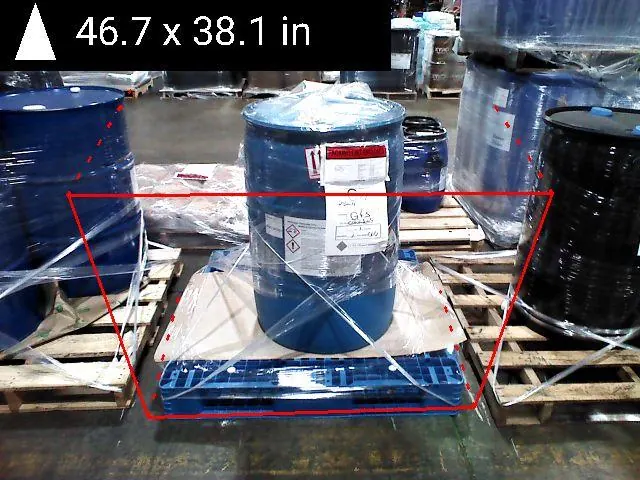
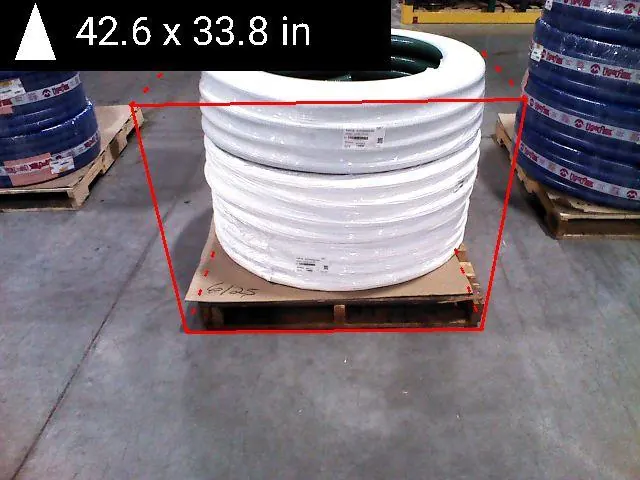
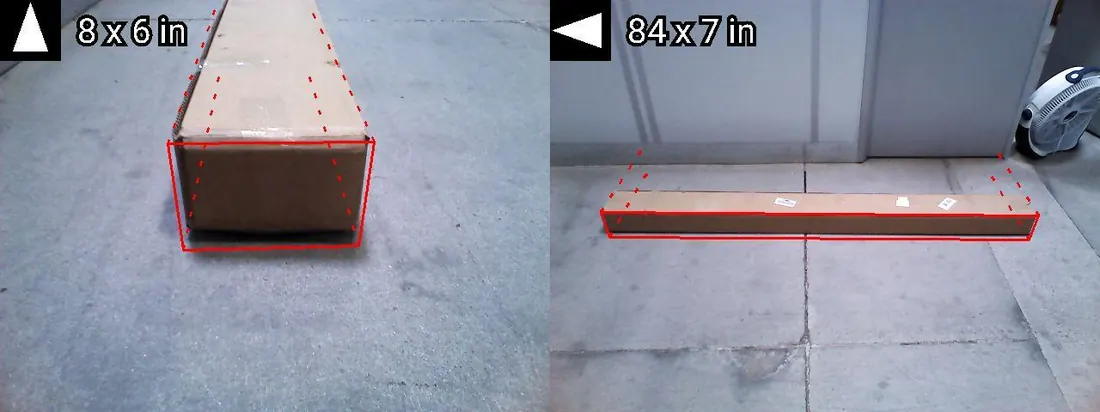
Saved with every pallet
- A photo of each face, with and without the markup
- Length, width and height
- The BOL, PRO or order number
- Weight, when a scale is paired
Label check pending Photos as the app saves them. Some shipments may carry customer labels; check before publishing.
Freight class & density
Get the class right before the carrier does.
LTL freight classes now follow density. Measured dimensions and scale weight give you the density of each pallet at the dock, and the app's classification keys record non-standard packaging (NSP) and accessorials on the same record.
When a carrier reclasses or reweighs a shipment, the record and the photo of every face show what left your dock.
| Dimensions | 48 × 40 × 50 inLength × width × height, from the Pallets app |
|---|---|
| Cube | 55.6 cu ftL × W × H ÷ 1,728 |
| Weight | 500 lbFrom a Bluetooth scale on the same record |
| Density | 9.0 lb per cu ftWeight ÷ cube |
Compare
Mobile or overhead pallet dimensioner?
An overhead system suits one fixed, high-volume lane. A handheld goes to every dock door.
| Feature | Fixed overhead dimensioner | M2 with the Pallets app |
|---|---|---|
| Where it measures | One fixed lane; pallets are brought to it | Any dock door, staging lane or trailer |
| Installation | Mounting, power, network and calibration | None: charge it and sign in |
| Photos for the BOL | Depends on the system | Each face, with and without markup |
| Other items | Pallets only, typically | The same M2 runs the Item & Parcel app or WorkFlows |
| Cost model | Capital equipment | Handheld device plus an annual app licence |
| Best for | A single lane with steady high volume | Many locations, mixed freight, getting started quickly |
Case study: BedTech automates LTL with QBOID and LTL Flow Pending approval
How a manufacturer captures pallet dimensions and photos at the dock and books LTL shipments with them.
Customer story
LTL shipments with photo proof.
BedTech, a manufacturer shipping LTL, uses the M2 and the Pallets app with the LTL Flow booking app. Dimensions and photos are captured at the dock and go into the shipment record, so the bill of lading matches the freight.
Figures, names and titles in the video need written approval before the page goes live.
Works with
One handheld, a scale and your systems.
The Pallets app runs on the M2. Weight, longer freight and storage come from the pieces below.
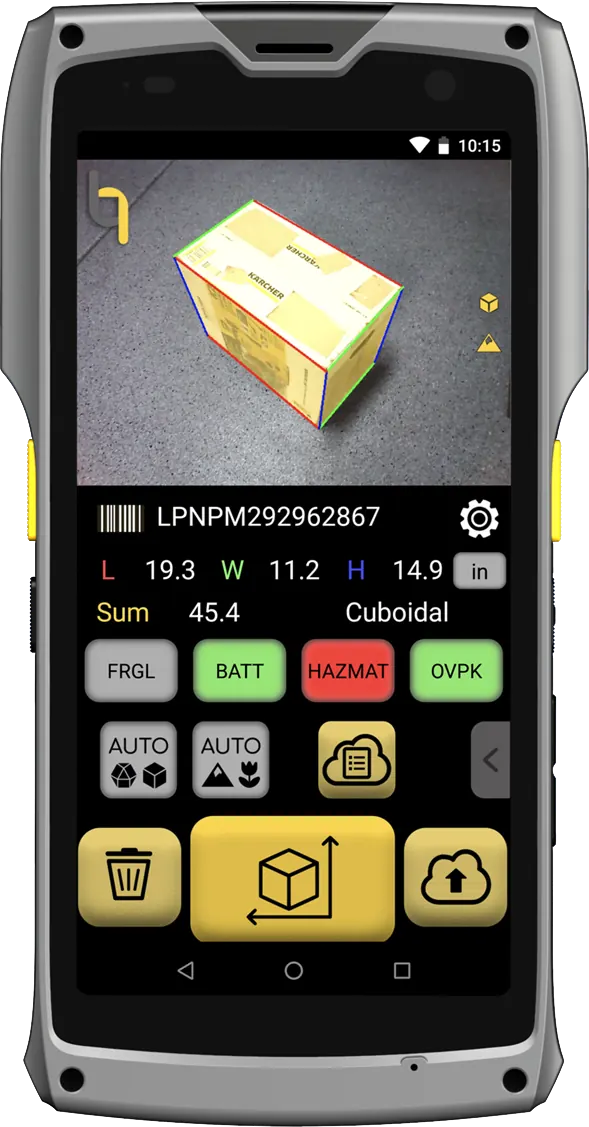
M2 Mobile Dimensioner
The handheld the app runs on. Hardware facts are in the M2 spec table.
M2 specs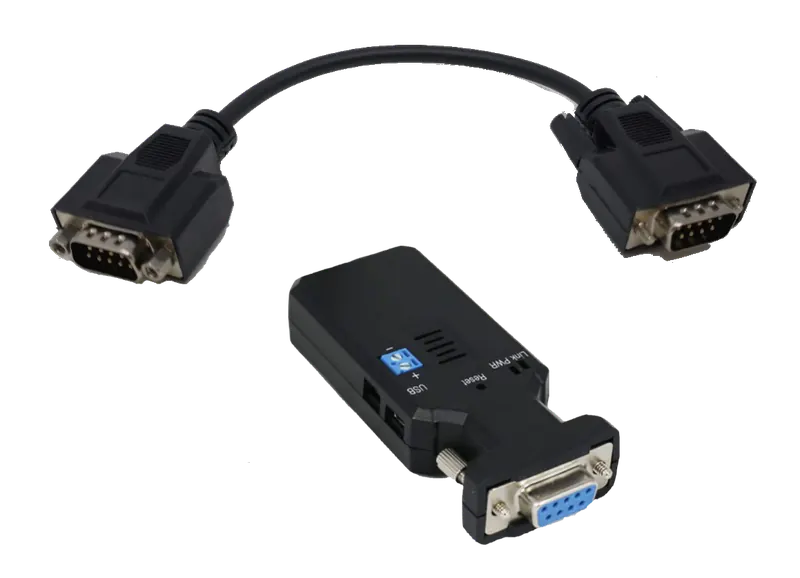
Bluetooth scales
Weight on the same record, through the QBOID Bluetooth kit.
Scales & accessories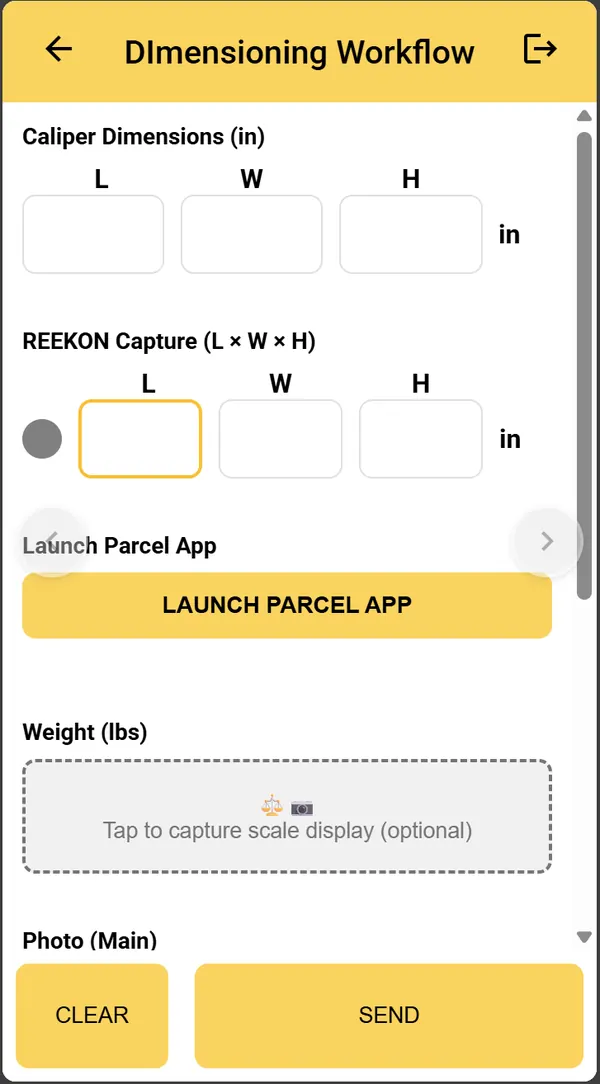
Bluetooth tape measures
For freight longer than 7 ft, added to the process with a WorkFlows app.
WorkFlows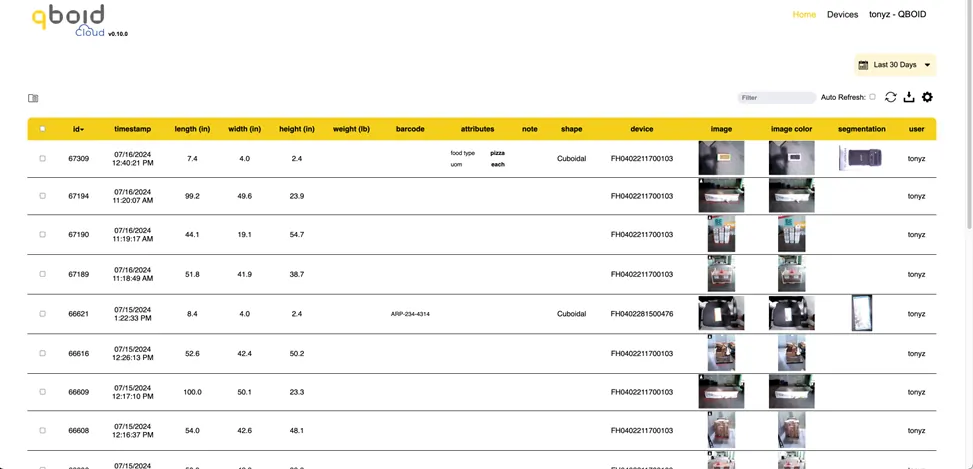
QBOID Cloud
Review and export every pallet. Basic is included with the app licence.
QBOID CloudFAQ
Pallet dimensioning questions
What is the Pallets app?
An app for the M2 Mobile Dimensioner that measures pallets, crates and other large items from photos. It records the dimensions, photos of each face and your freight details, and sends them to your systems.
How large an item can it measure?
Pallets, boxes and rolls from about 3 ft up to 7 ft wide or tall. For freight longer than that, a Bluetooth tape measure can be added to the workflow with WorkFlows. The M2 hardware specifications are on the M2 page.
How accurate is it?
Within 1 in on pallets and large items.
How many photos does a pallet need?
At least two sides, and up to all four. More sides give better documentation for the carrier and your customer.
What can't it measure?
Items with mirror-like finishes and some types of security shrink wrap. Like the M2 in general, it doesn't measure in direct sunlight.
Does it record weight?
Yes, from a Bluetooth scale paired with the M2. With WorkFlows, a floor scale's display can also be read from a photo.
Where does the data go?
To QBOID Cloud, to your WMS, TMS or ERP over HTTPS, or both. The Pallets app uses the same API as the Item & Parcel app, so an existing M2 integration works without changes.
How do I buy it?
The Pallets app is an annual licence for the M2. Buy it on the QBOID store ↗, or ask sales for a quote with devices and setup.
Book a demo · Get in touch
Measure your pallets with us.
Tell us about your freight. Book a 20-minute remote demo on pallets like yours, or leave your details and sales will follow up.
- Demo: about 20 minutes, remote, on items you choose
- Or leave your details: sales replies within one business day
- Ships to all US states; resellers in North and South America, EMEA and APAC
Or write to sales@qboid.ai, or call +1 (408) 419-1449.