
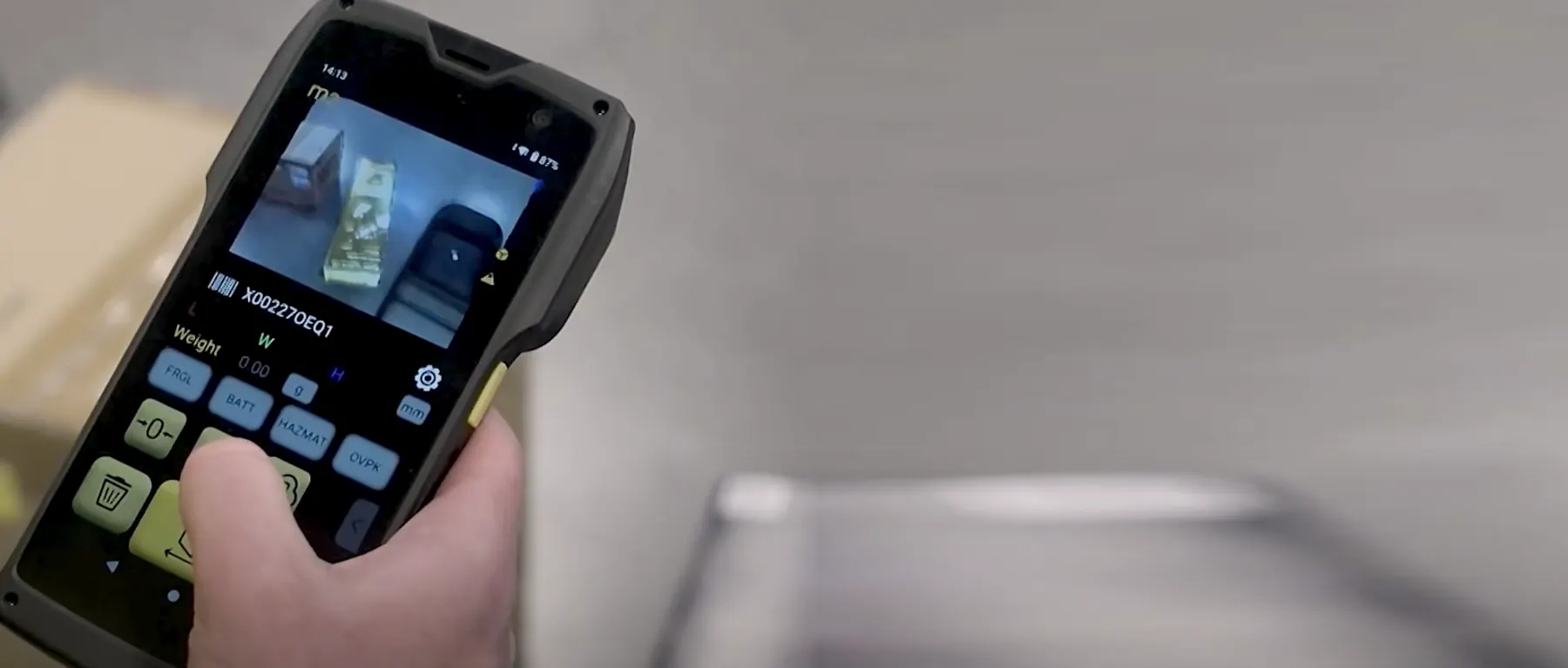
Device · model Perceptor M2
M2 Mobile Dimensioner
A handheld that measures boxes, irregular items and pallets where they are.
The QBOID M2, model name Perceptor M2, is an Android handheld with 3D sensors, a camera and a barcode scanner. One scan records length, width, height, the barcode, three photos and, with a paired scale, the weight.
- Cuboid items
- ±0.25 inscanned top-down
- Irregular items
- ±0.5 inas a bounding box
- Item size
- 0.5–40 inpallets 3–7 ft with the Pallets app
- Battery
- About 8 hhot-swappable
At a glance
One scan, one complete record.
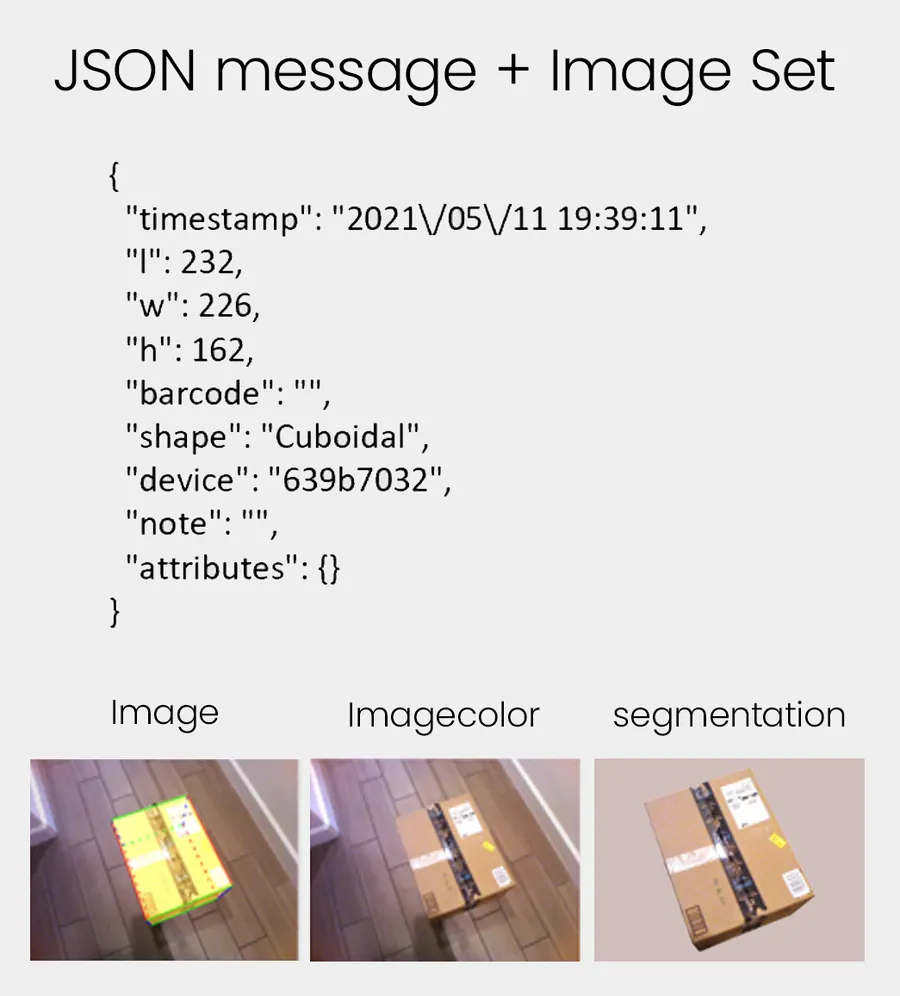
The M2 is a handheld dimensioner for warehouses, fulfillment and shipping. It measures boxes and irregular items from 0.5 in to 40 in, and pallets from about 3 ft up to 7 ft with the Pallets app. Each scan captures dimensions, shape, barcode, three photos (annotated, plain and background removed) and weight from a Bluetooth scale, plus four keys for your own fields.
It is an Android platform, so it runs QBOID apps, WorkFlows apps and other Android or web apps. It works offline and sends each record over Wi-Fi to QBOID Cloud or straight to your WMS, ERP or TMS.
- Two 3D sensors and a 13 MP camera
- 1D and 2D barcode scanning
- IP65, hot-swappable battery, USB-C
- Every record tagged cuboid or irregular
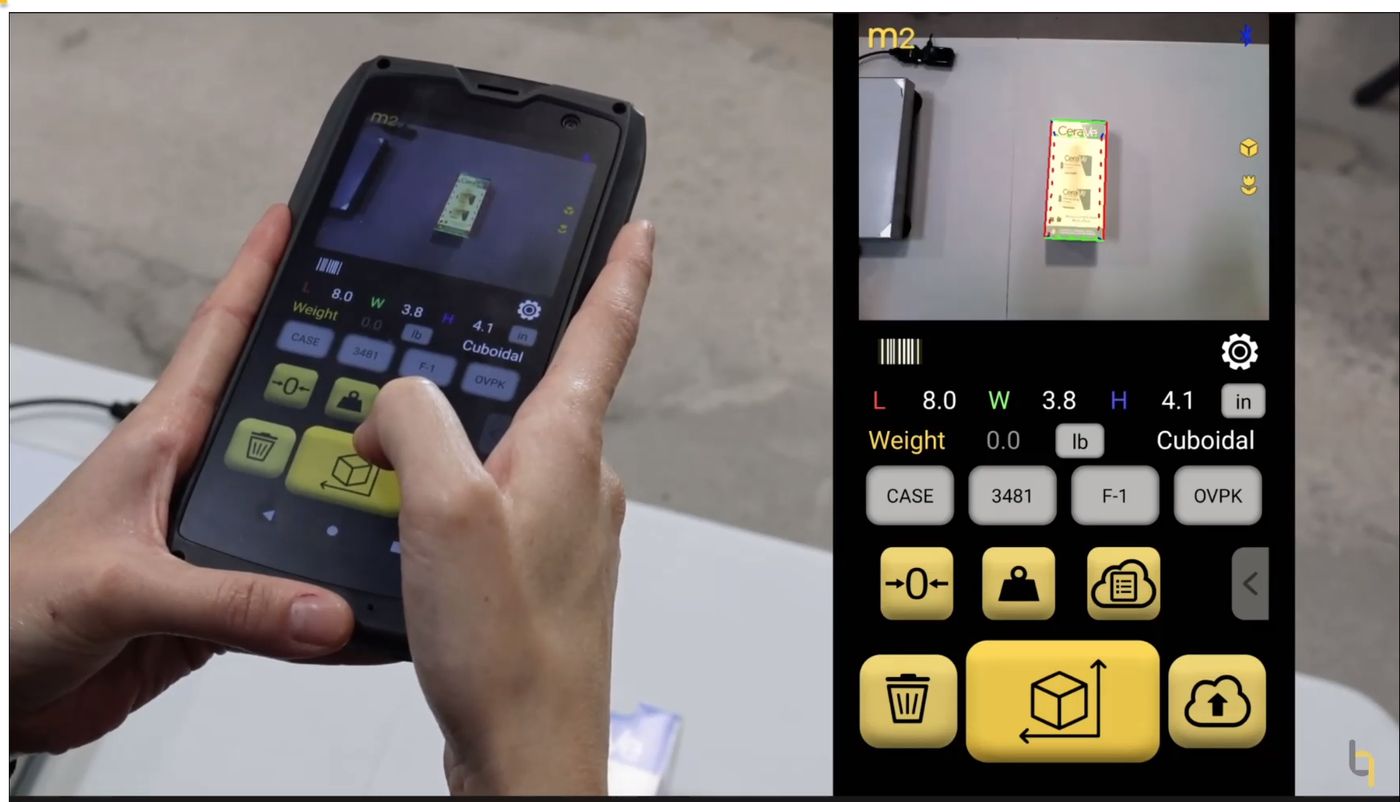
How it works
Three steps, for a small part, a carton or a pallet.
Like taking a picture. The real-time assistant shows whether the item is in range before you measure.
- 01
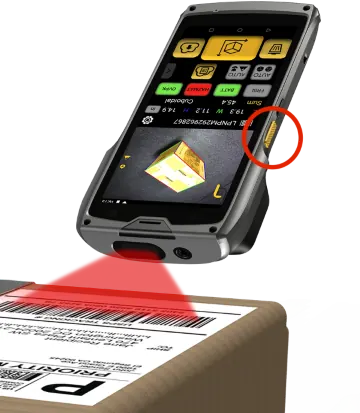
Scan the barcode
Scan the item's barcode, or type an ID such as a SKU, PO or order number. The scanner reads 1D and 2D codes.
- 02
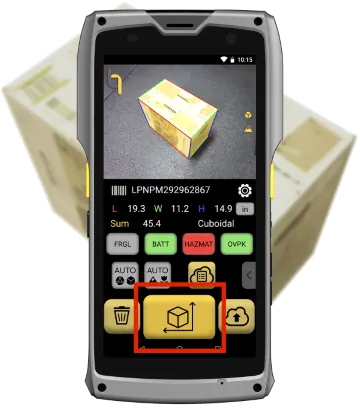
Take a picture, get dimensions
Point the M2 at the item and press the measure key. Length, width, height and shape appear on screen; weight comes from a paired scale.
- 03
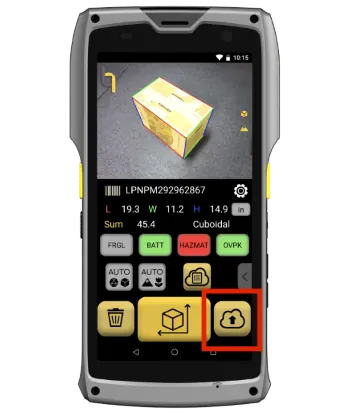
Save or upload
Save on the device, or send the record with its photos to QBOID Cloud or your WMS, ERP or TMS.
Measuring range
Smaller parts: Bluetooth calipers. Longer freight: Bluetooth tape measures. Both work inside a WorkFlows app.
Watch a full scan: M2 how-to, step 5 (3:15) shows barcode, dimensions, scale weight, saving and the record in QBOID Cloud. It's embedded on the parcel dimensioning page. How the M2 sees in 3D explains the sensors. All how-to videos.
The step 5 video says to hold the M2 at least 15 in above the item; current guidance is more than 18 in from all surfaces.
Specifications
The M2, front and back
Point at a number to find the part. All M2 hardware facts are in the table below; app pages link here.
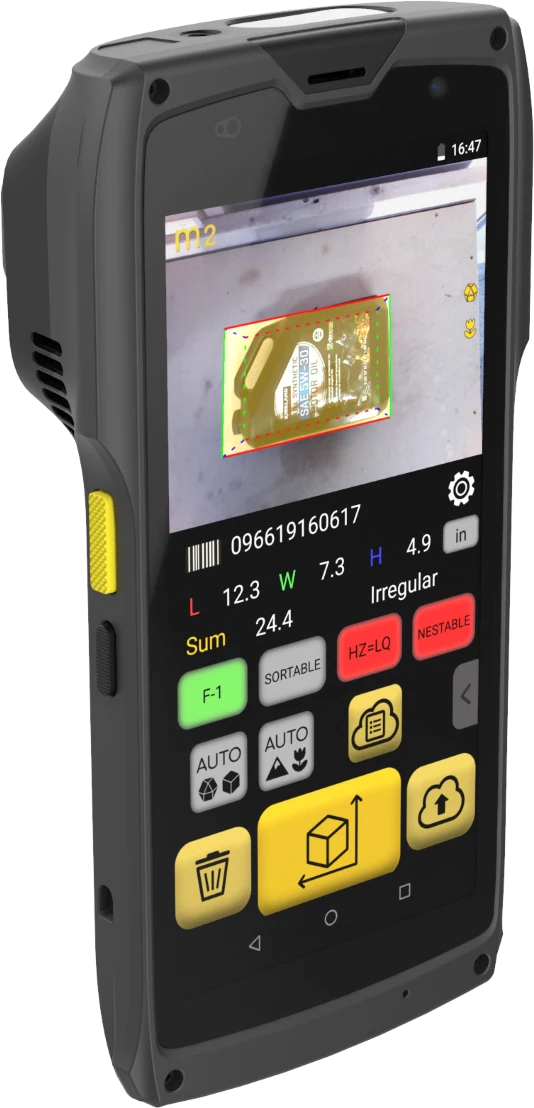
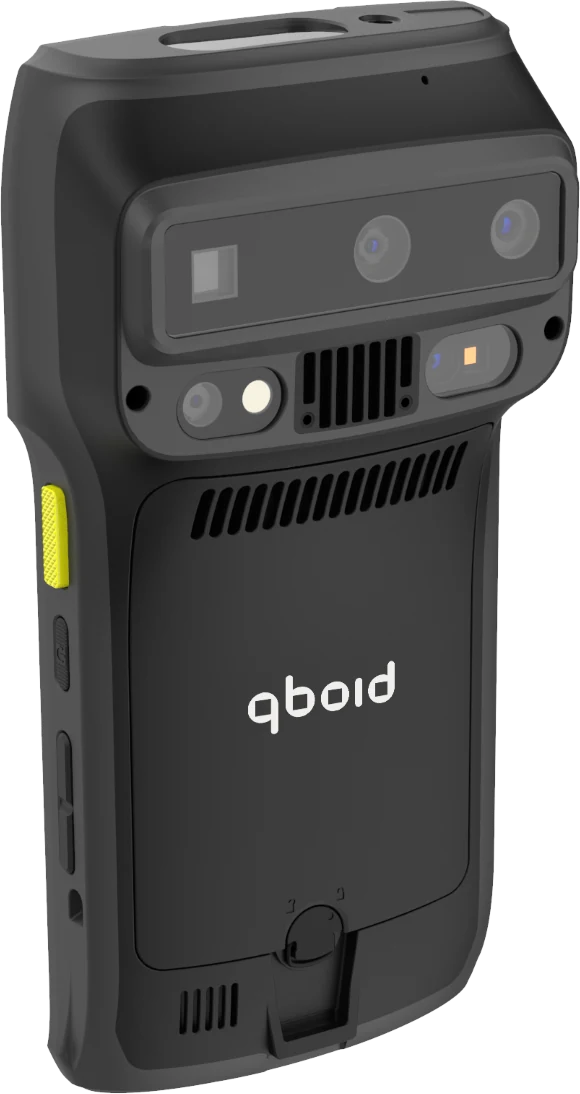
- 1Barcode scan engineReads 1D and 2D codes
- 26 in touchscreenDimensions, shape, barcode and your custom keys on one screen
- 3Android 10Over-the-air updates; runs QBOID, WorkFlows and other Android or web apps
- 4IP65Sealed against dust and water jets
- 5USB-C fast chargeOr charge spare batteries in the 4-bay charger
- 6Two 3D sensors and a 13 MP cameraStructured light and time-of-flight depth, plus colour photos
- 7Active coolingA built-in fan for continuous scanning
- 8Hot-swappable battery5000 mAh (19 Wh), about 8 hours
| Accuracy, cuboid items | ±0.25 inScan from the top down for best results |
|---|---|
| Accuracy, irregular items | ±0.5 inRecorded as the bounding box |
| Item size (Item & Parcel app) | Smallest side > 0.5 in; longest side < 40 inFeatures down to 0.25 in when the M2 is closer; the on-screen assistant shows whether a larger item fits |
| Pallets and large items (Pallets app) | From about 3 ft up to 7 ft wide or tall; accuracy 1 inPallet dimensioning |
| Scan distance | More than 18 in from all surfaces of the itemCloser is better than farther |
| Materials it can't measure | Transparent; shiny or glossyItem and floor surface should be matte and opaque |
| Sunlight | Doesn't measure in direct sunlightSunlight interferes with one 3D sensor |
| Sensors | Two 3D sensors (structured light 850 nm, time-of-flight 940 nm) and a 13 MP colour camera |
| Barcode | 1D and 2D scan engine |
| Captured per scan | L, W, H, shape, barcode, weight, note, custom attributes, 3 photosPhotos: annotated, plain, background removed |
| Custom keys | 4 keys for your own fieldsFor example damaged, hazmat, oversize |
| Display | 6 in touchscreen |
| Operating system | Android 10, over-the-air updatesRuns QBOID apps, WorkFlows apps and other Android or web apps |
| Battery | 5000 mAh (19 Wh), hot-swappableAbout 8 hours with the real-time assistant on 10% of the time |
| Charging | USB-C fast charge4-bay charger available |
| Connectivity | Wi-Fi; Bluetooth for scales and accessoriesWorks fully offline; records sync when connected |
| Ruggedness | IP65; active cooling |
| Weight | 440 g (15.5 oz) |
| Operating temperature | 5–35 °C (41–95 °F) |
Apps that run on the M2
Pick the app for the job.
Each app has its own licence on the store. QBOID Cloud Basic is included with any of them.
Item & Parcel app
Boxes, parcels and irregular items, with weight, barcode and photos. Includes S1 mode.
Parcel dimensioning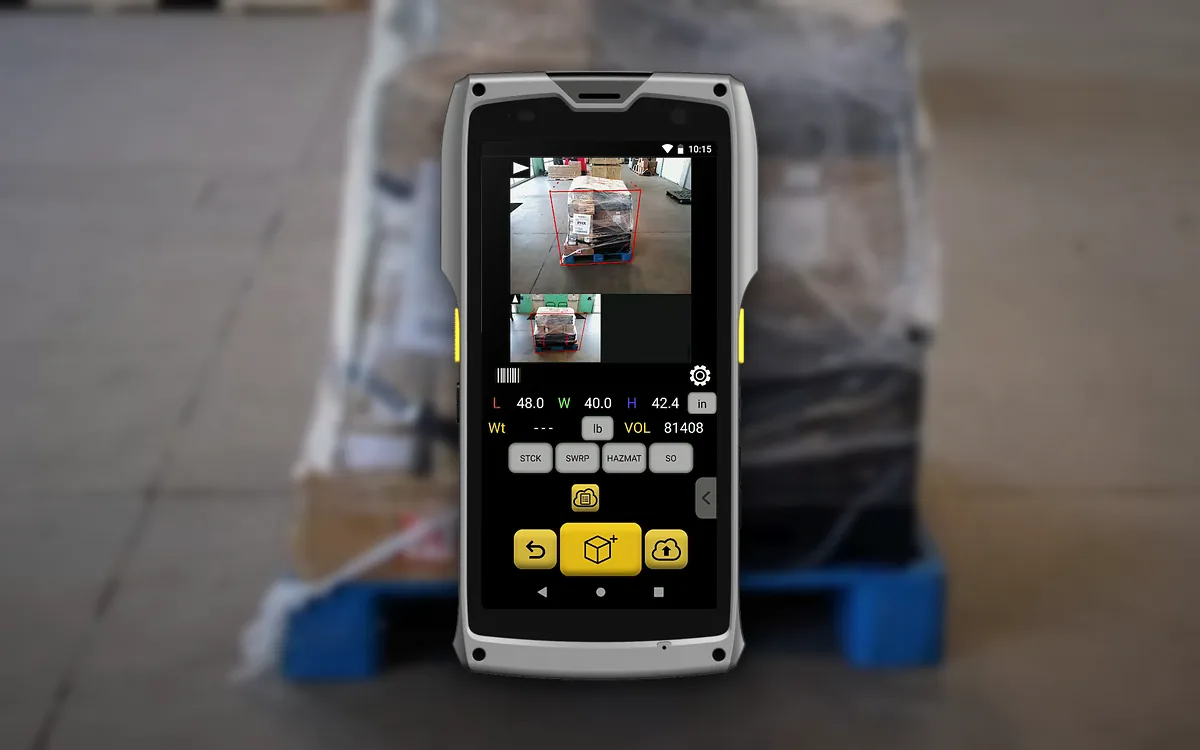
Pallets app
Pallets, crates and long boxes from photos of two to four sides, with BOL documentation images.
Pallet dimensioning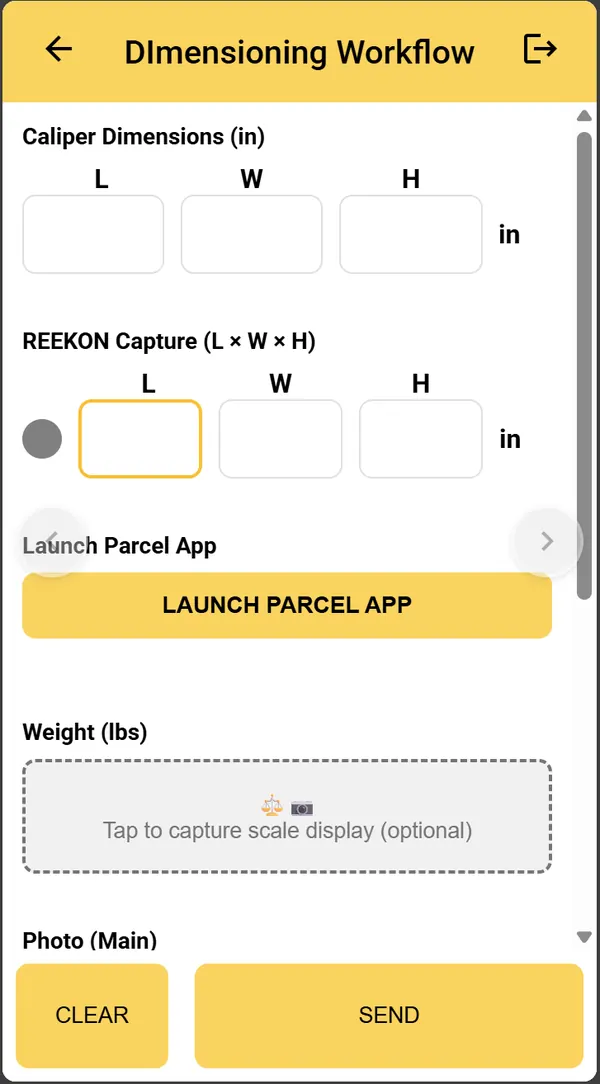
WorkFlows
Your own data-capture app, built from a plain-English description of the process.
WorkFlowsAccessories
Dock it for volume. Undock it for the rest.
A benchtop station for high-volume work, a scale for weight, and power for a full shift.
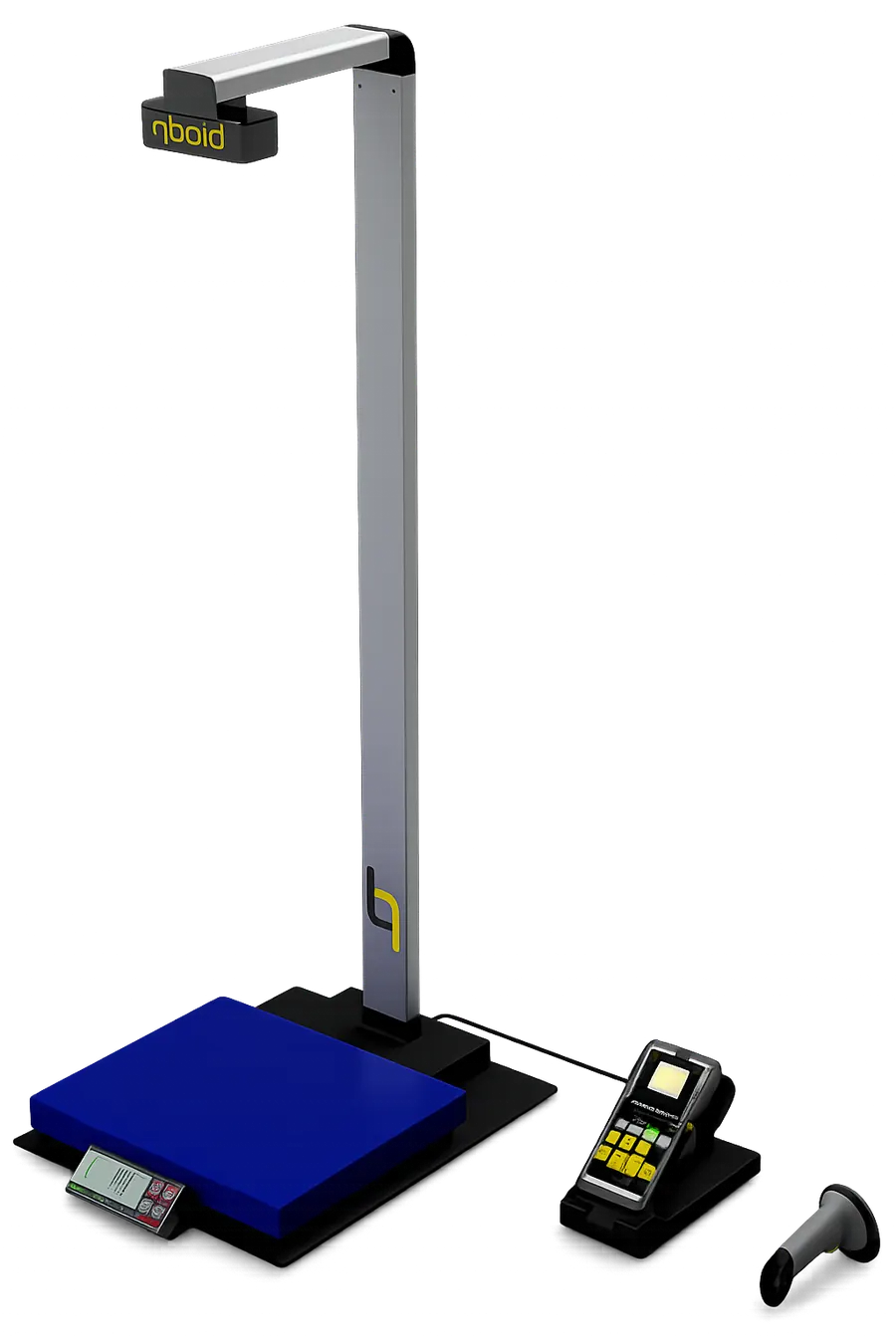
S1 Accessory: benchtop station
Dock the M2 in the S1 for high-volume work at a bench or on a cart. A barcode scan triggers dimensions, weight from the built-in scale and photos, with no screen taps. Undock the M2 when you need to measure elsewhere. S1 mode is included in the Item & Parcel app licence.
About the S1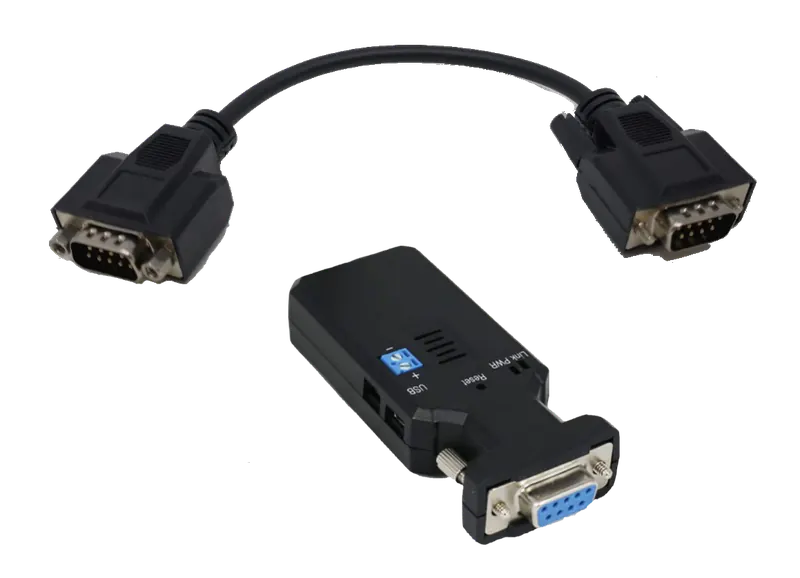
Bluetooth scale kit
Pairs scales such as the Mettler Toledo BC-60 or Rice Lake BenchPro BP-1214.
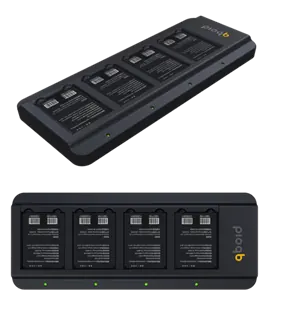
4-bay charger
Charges four spare batteries for multi-shift use.
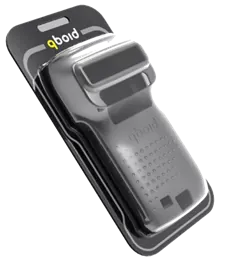
Rubber case
Extra drop protection on the warehouse floor.
Calipers and tape measures
Bluetooth calipers for parts too small for the M2 and tape measures for freight too long, through WorkFlows.
All accessoriesIntegration
Every scan is a record your systems can use.
The M2 sends each scan as it happens, as a JSON record with its photos.
| Perceptor API (device push) | The M2 posts each record over HTTPS to your endpoint, with an optional bearer token. CA-signed and self-signed certificates are supported. |
|---|---|
| Android Intent API | Your own Android app on the M2 calls the dimensioning function and gets the result back. |
| QBOID Cloud REST API | Pull records from QBOID Cloud (Pro), or export XLS and ZIP files from the browser. |
| WorkFlows | No code: send data to a WMS, ERP, TMS or HTTPS endpoint, email or Google Sheets. |
Outbound connections only, proxy support, and about 1 KB per text record. Fleet rollout through MDM such as SOTI.
Where teams use it
Jobs the M2 is used for, from receiving to the outbound dock
Customer stories
In use at customers.
Retail, omni-channel and 3PL teams using the M2 at receiving, packing and the dock.
eCommerce and retail Pending approval
Mann Lake
Weights, dimensions and photos for 10,000+ products in under two weeks, with two M2 devices.
Read the storyOmni-channel seller Pending approval
Weby Corp
Dimensions at receiving with the M2 and S1, so its warehouse robots could go live.
Read the story3PL Pending approval
Ideal Fulfillment
The M2 and S1 at the pack station of a fast-growing 3PL: three pack stations became one.
Read the storyFAQ
M2 questions
What can the M2 measure?
Boxes and parcels, irregular items (polybags, cylinders, bundles, odd-shaped parts) and, with the Pallets app, pallets, crates and long boxes. Irregular items are recorded as the smallest box that contains them, and tagged Irregular. It can't measure transparent or shiny, mirror-like surfaces, and it doesn't measure in direct sunlight.
How accurate is it?
Within ±0.25 in for cuboid items and ±0.5 in for irregular items, scanning top-down. Pallets measured with the Pallets app are within 1 in. The best-practices video shows how to hold the M2 for the best results.
Does it work outdoors?
Not in direct sunlight: sunlight interferes with one of the 3D sensors. Under a canopy, at the dock door or indoors it works normally.
Which scales can it pair with?
Bluetooth scales through the QBOID Bluetooth kit, for example the Mettler Toledo BC-60 and the Rice Lake BenchPro BP-1214. Scales that use the SMA protocol connect through an RS-232 to Bluetooth adapter. With WorkFlows, any scale can be read from a photo of its display.
Can I run my own app on the M2?
Yes. The M2 is an Android device. Your Android app can call the dimensioning function through the Android Intent API, a browser-based web app can use it too, and WorkFlows apps run on it as well.
Which WMS and ERP systems does it connect to?
The M2 posts each scan as JSON over HTTPS to any endpoint you choose, so your team or integrator can receive it in any system. Integration partners already connect it to platforms such as Oracle NetSuite (through RF-SMART) and SAP (through The Config Team). See Integrations and the developer documentation.
Does it need Wi-Fi?
No. All processing happens on the M2 and every scan is saved on the device. Wi-Fi is only needed to send records to QBOID Cloud or your systems.
What comes in the box, and what else is available?
The M2 comes with a battery and a wrist strap. Spare 5000 mAh batteries ↗, a 4-bay charger ↗, a rubber protective case ↗ and Bluetooth scale kits ↗ are available on the store.
What do I need to buy?
An M2 and an annual licence for the app you need. QBOID Cloud Basic is included with any app licence. Prices are on the store.
Can we try it before buying?
Yes. Rent an evaluation unit from the store, or book a demo and we'll measure your own items with you remotely.
Book a demo · Get in touch
See the M2 on your own items.
Book a 20-minute remote demo with a few of your SKUs, or leave your details and sales will follow up.
- Demo: about 20 minutes, remote, on items you choose
- Or leave your details: sales replies within one business day
- Ships to all US states; resellers in North and South America, EMEA and APAC
Or write to sales@qboid.ai, or call +1 (408) 419-1449.