
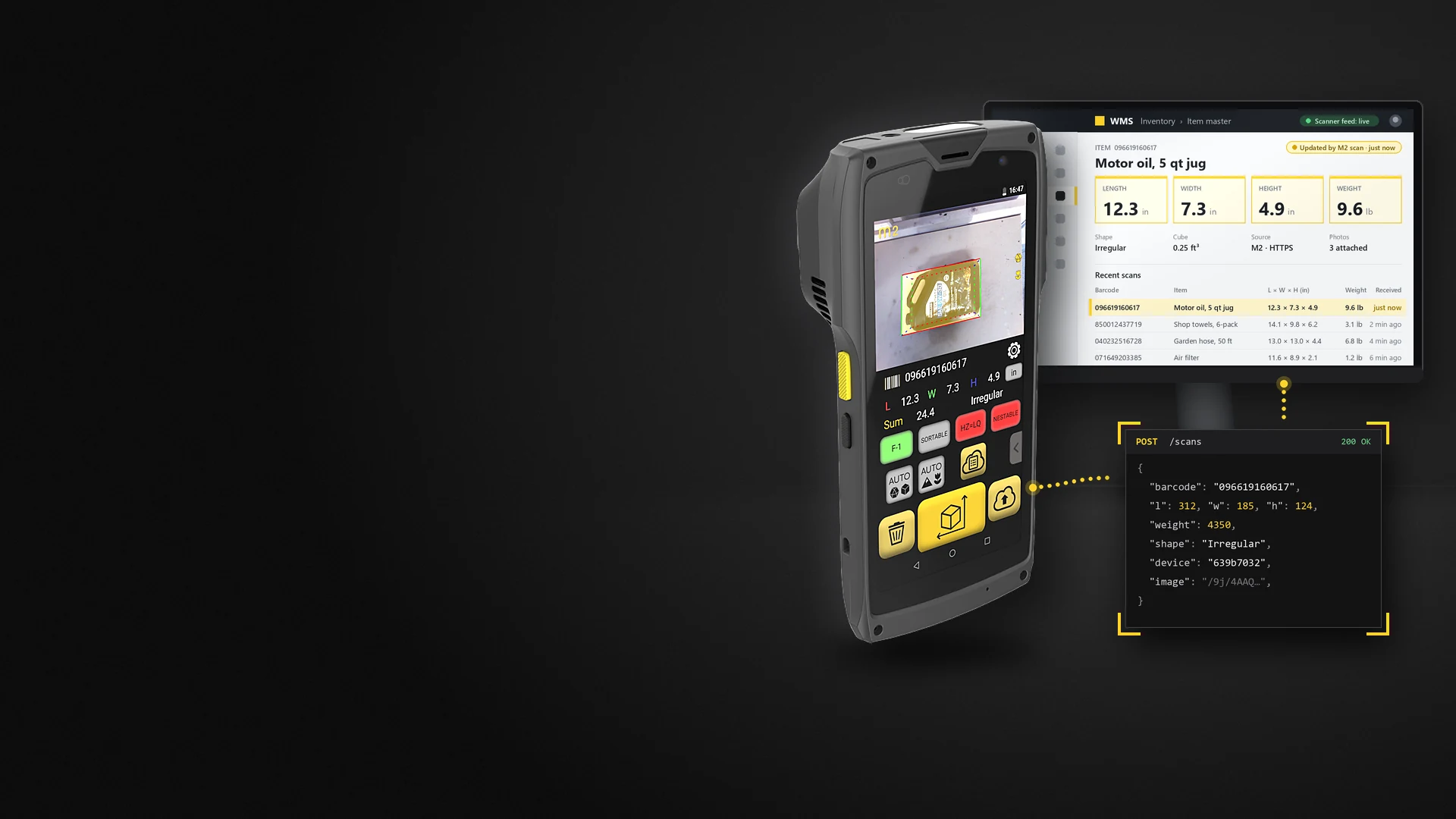
Integrations · WMS, ERP, TMS
Integrations
Every scan reaches your WMS, ERP or TMS as it happens.
The M2 and S1 send each scan as a JSON record over HTTPS: straight to your system, to QBOID Cloud, or both. Partners connect it to NetSuite, SAP and shipping platforms, and WorkFlows does it without code.
- From the device
- HTTPS POSTone JSON record per scan, over Wi-Fi
- Destinations
- WMS · ERP · TMSor any HTTPS endpoint, or QBOID Cloud
- No code
- WorkFlowsbuilt with you in a call
- Weight
- Bluetooth scaleson the same record
The first question
Will it work with my WMS, ERP or TMS?
Yes, if your system can receive an HTTPS request, directly or through middleware. The M2 posts each scan as a JSON record. Partners already connect it to NetSuite, SAP and shipping platforms, WorkFlows connects it without code, and QBOID Cloud exports files while an integration is built.
A partner already connects your system
NetSuite through RF-SMART, SAP through The Config Team, Softeon, ShipHawk and others. The partner sets it up. See the partners
Your system takes an HTTPS POST
Point the M2 at your endpoint and map the fields, or build the flow in WorkFlows without code. Four ways in
You're not ready to integrate
Start with QBOID Cloud: review scans in a browser and export XLS or ZIP files. Connect your system later. QBOID Cloud
Data flow
From the scan to your system.
No server of ours has to sit in the middle. The device talks to your endpoint, to QBOID Cloud, or to both.
- 01 Scan
The M2, handheld or docked in the S1, captures dimensions, weight, barcode, shape and three photos. The record is saved on the device.
- 02 POST
Over Wi-Fi, the M2 sends the record as JSON in an HTTPS POST, with an optional bearer token. Outbound only.
- 03 Receive
QBOID Cloud, your ERP, WMS or TMS, middleware or a partner's connector takes the record and maps the fields.
- 04 200 OK
Your endpoint answers with a 2xx status. The operator moves on to the next item.
Four ways in
Pick the path that fits your team.
Three for developers, one without code. Details, quick starts and the API reference are on the developers page.
Device push API
Perceptor API
The M2 posts each scan to your HTTPS endpoint as it happens.
For: IT teams and integrators with an endpoint in the WMS, ERP or middleware.
How it worksOn the device
Android intents
Your own Android app on the M2 calls dimensioning and gets the result back.
For: teams whose operators already use their own mobile app.
How it worksPull from the cloud
QBOID Cloud REST API
Your system pulls records from QBOID Cloud. Pro plan, 60 requests per minute.
For: scheduled imports, or when devices shouldn't reach your systems directly.
How it worksNo code
WorkFlows
Sends data to any WMS, ERP, TMS or HTTPS endpoint, email, Google Sheets or QBOID Cloud.
For: operations teams without developers, or processes with several steps.
WorkFlowsIntegration partners
Already connected.
These partners connect the M2 to their platforms. Each card says what flows where. Partner pages with field mappings and setup steps follow.
ERP and WMS
Item master data

Oracle NetSuite
RF-SMART
Dimensions and weights from the M2 into NetSuite, through RF-SMART's NetSuite WMS.
Pending approval
SAP
The Config Team · PreBilt
PreBilt brings M2 dimensions into SAP for companies running SAP warehouse management.
Pending approval
WMS
Softeon
Item dimensions from the M2 into Softeon WMS for inventory and storage planning.
Pending approvalShipping and TMS
Rating, freight class and booking

Shipping
ShipHawk
Shipment dimensions and weights from the M2 into ShipHawk for rating and shipping, including on NetSuite.
Pending approval
TMS · parcel and LTL
RateLinx ShipLinx
Pallet dimensions and weights into ShipLinx TMS, for freight class and cleaner BOLs.
Pending approvalLTL booking
LTL Flow
Pallets app dimensions and photos go into LTL Flow, which books the shipment with a carrier or broker.
Pending approvalPacking
Cartonization

Cartonization
Paccurate
Item dimensions from the M2 feed Paccurate's packing API, which picks the carton for each order.
Pending approvalYour system isn't listed?
Most integrations don't need a partner: the M2 posts to any HTTPS endpoint. Tell us what you run and we'll say how others connect it.
Ask the integration teamPartner names and logos are shown pending each partner's written approval. Resellers and how to become a partner: Partners & resellers.
Supported scales
Weight on the same record.
Pair a scale with the M2 once; every scan then carries the weight in grams. On the S1, the built-in scale does it.
| Scale | How it connects |
|---|---|
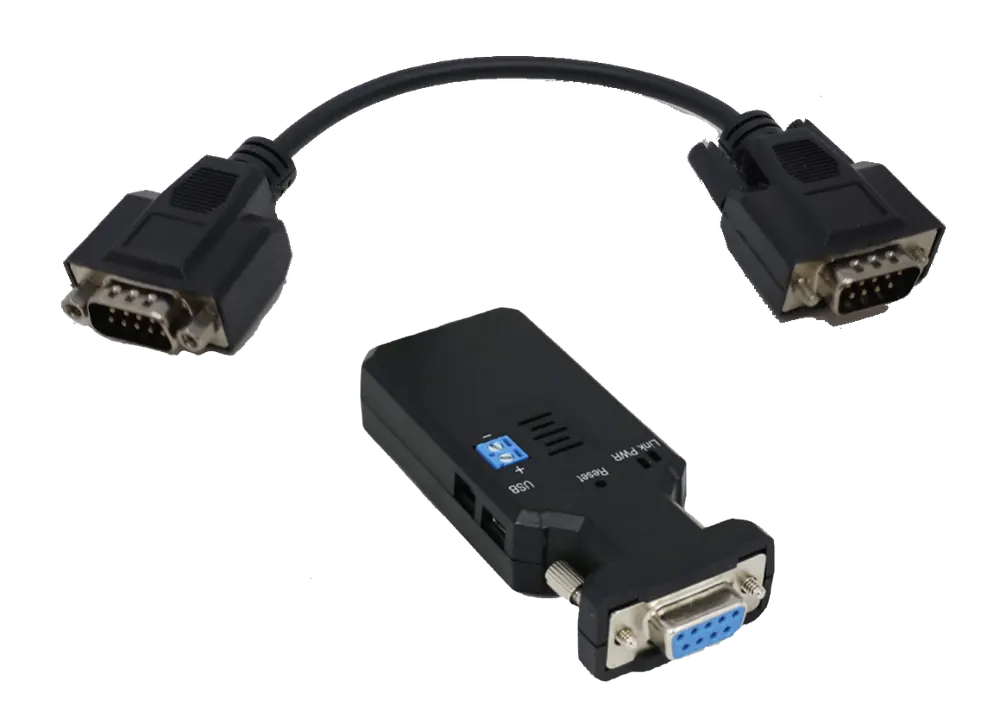
| Mettler Toledo BC-60 | QBOID Bluetooth kit on the scale's serial port |
| Rice Lake BenchPro BP-1214 | QBOID Bluetooth kit; also sold as a ready-to-pair scale kit |
| Other scales with the SMA protocol | RS-232 to Bluetooth adapter; ask us about your model |
| Any other scale | A WorkFlows app reads the weight from a photo of the scale's display |
For IT
The IT checklist.
What your network and security teams usually ask before the first device goes live.
| Connections | Outbound only. The M2 opens HTTPS connections to your endpoint or QBOID Cloud; nothing connects in to the device. |
|---|---|
| Proxy | Supported. |
| Bandwidth | About 1 KB per text record; typically under 1 MB per record with its photos. |
| Authentication | HTTPS with an optional bearer token. CA-signed and self-signed certificates are supported. |
| Offline | All processing happens on the device and every scan is saved there. Records are sent over Wi-Fi when the device is connected. |
| Device management | Android 10; works with MDM such as SOTI to push apps and settings to a fleet. |
| Where data goes | You choose: your endpoint, QBOID Cloud (US or EU region), both, or neither. |
| Licence check | The app validates its licence on launch and about daily, with a limited offline grace period. No scan data is sent for this. |
See it connected
From the scan to the system.
A partner's explainer for SAP, and a short recording of a scan arriving in a WMS, still to be made.
The Config Team: PreBilt brings M2 dimensions into SAP Pending approval
The partner's animated explainer: dimensions captured with the M2 update SAP without tape measures or retyping. Made by The Config Team; music only, no voice-over.
Screen recording goes here (about 60 s): scan → record appears in the WMS. Split screen: an operator scans a carton with the M2; the item record in a WMS updates with dimensions, weight and photo a moment later.
Not recorded yet. QBOID branding only, with a test WMS account and no customer data.
FAQ
Integration questions
Do we need a developer to connect the M2?
Not always. If a partner already connects your system, they set it up. WorkFlows sends data to your system without code. QBOID Cloud lets you export records as XLS or ZIP files while an integration is built. To receive the device push in your own system, your team or integrator needs an HTTPS endpoint.
Which systems does it work with?
Any WMS, ERP or TMS that can receive an HTTPS POST, directly or through middleware. Integration partners connect the M2 to NetSuite (RF-SMART), SAP (The Config Team), Softeon, ShipHawk, RateLinx ShipLinx, Paccurate and LTL Flow.
What does the device send?
One JSON record per scan: length, width and height in mm, weight in g, barcode, shape (Cuboidal or Irregular), your own attributes, a note, the timestamp, the device serial number and three photos as base64 JPG. See the example payload.
Does the M2 need inbound access through our firewall?
No. The M2 only opens outbound connections, and it works through a proxy. Nothing needs to reach the device from outside.
What happens when Wi-Fi drops?
The M2 keeps measuring. All processing happens on the device and every scan is saved there; records are sent over Wi-Fi when the connection is back.
Can we send data to QBOID Cloud and our own system at the same time?
Yes. You choose the destination: QBOID Cloud, your own endpoint, both, or neither, with records kept on the device.
How do we secure the connection?
The M2 posts over HTTPS with an optional bearer token. CA-signed and self-signed certificates are supported.
How do we roll out many devices?
The M2 is an Android device and works with mobile device management such as SOTI, so settings and apps can be pushed to a fleet.
Integration team · Book a demo
Talk to our integration team.
Tell us which WMS, ERP or TMS you run and how records should arrive. We'll show you how others connect it, or see a record arrive in a system like yours in a demo.
- Demo: about 20 minutes, remote, on items you choose
- Or leave your details: sales replies within one business day
- Ships to all US states; resellers in North and South America, EMEA and APAC
Or write to sales@qboid.ai, or call +1 (408) 419-1449. Existing customers with a technical question: support@qboid.ai.